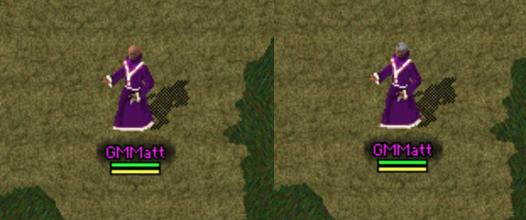
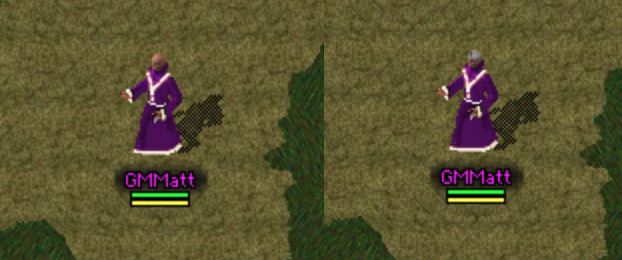
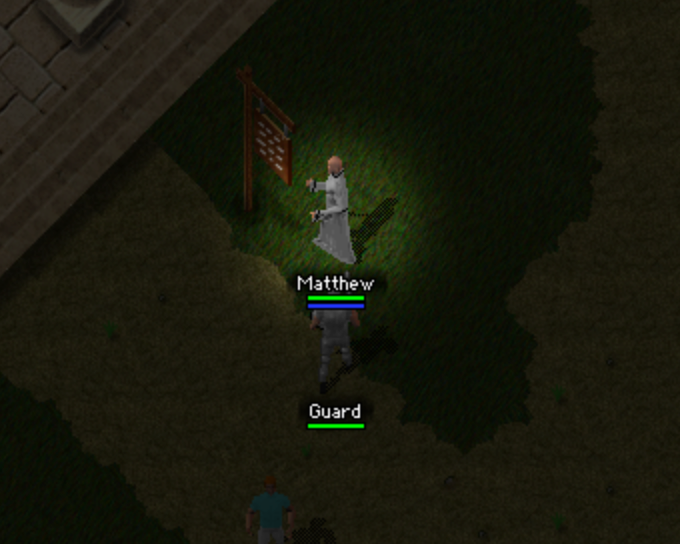
Dye shops can stock hair-style potions. Hair Restoration Potions restore default hair, and Hair Removal Potions remove hair. Both potions cost 50,000 gold when stocked.
Before and after Hair Restoration Potion restores default hairHair Restoration Potion listed under consumables
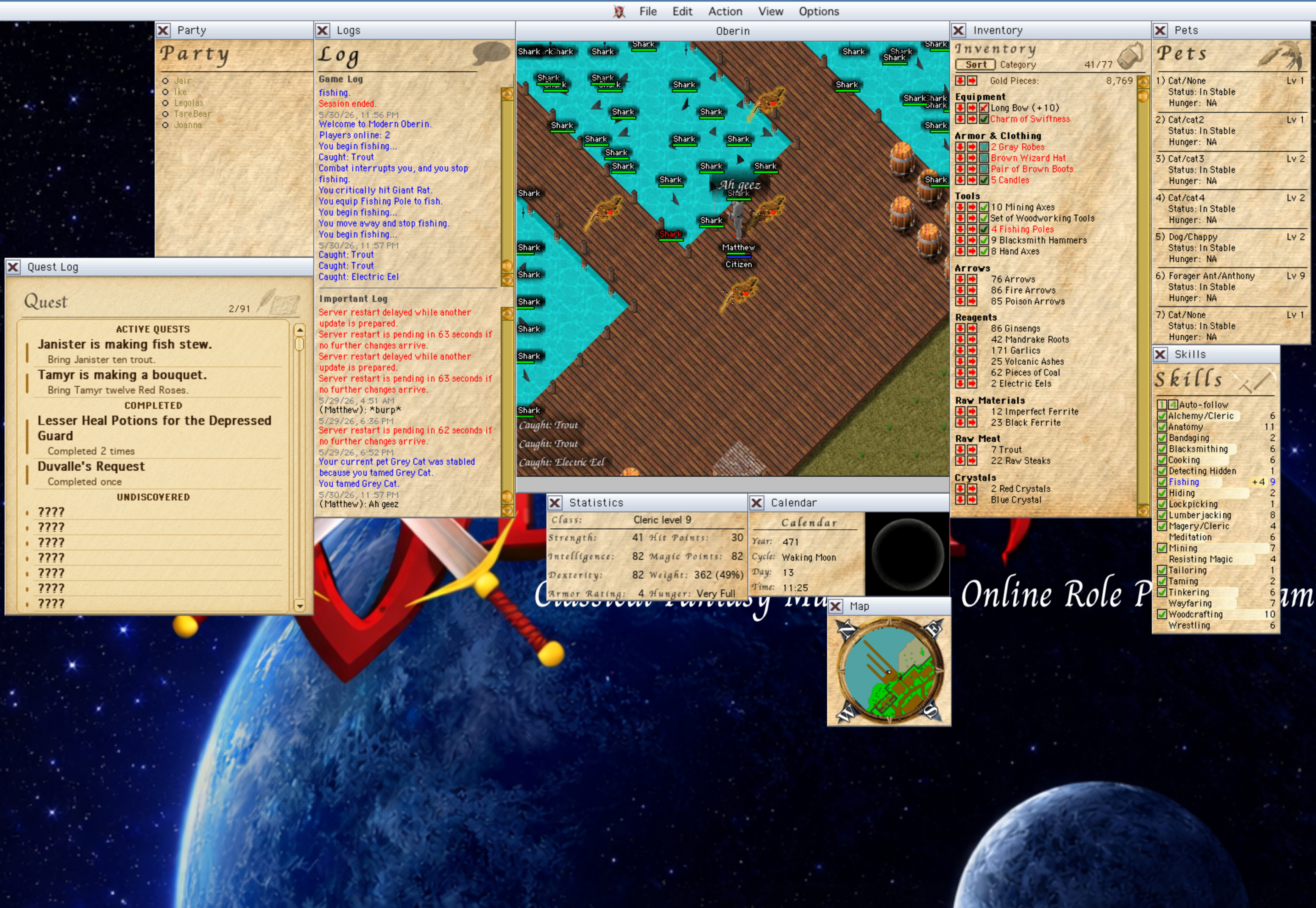
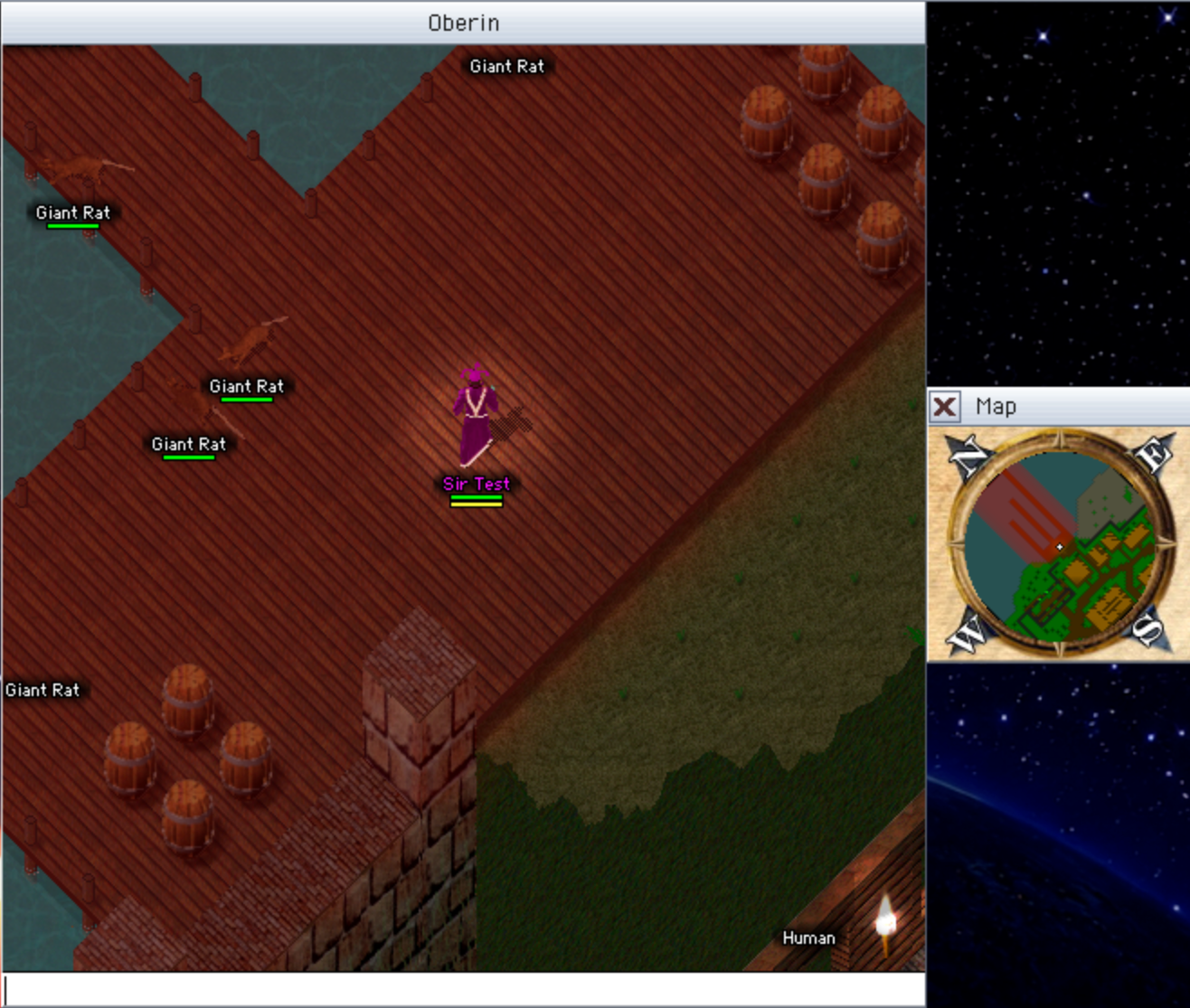
Quiet fishing near water is safer. Wild sea creatures stop noticing players who stay still for five minutes while in or beside swimmable water.
Fishing safely near dock sharks after staying still
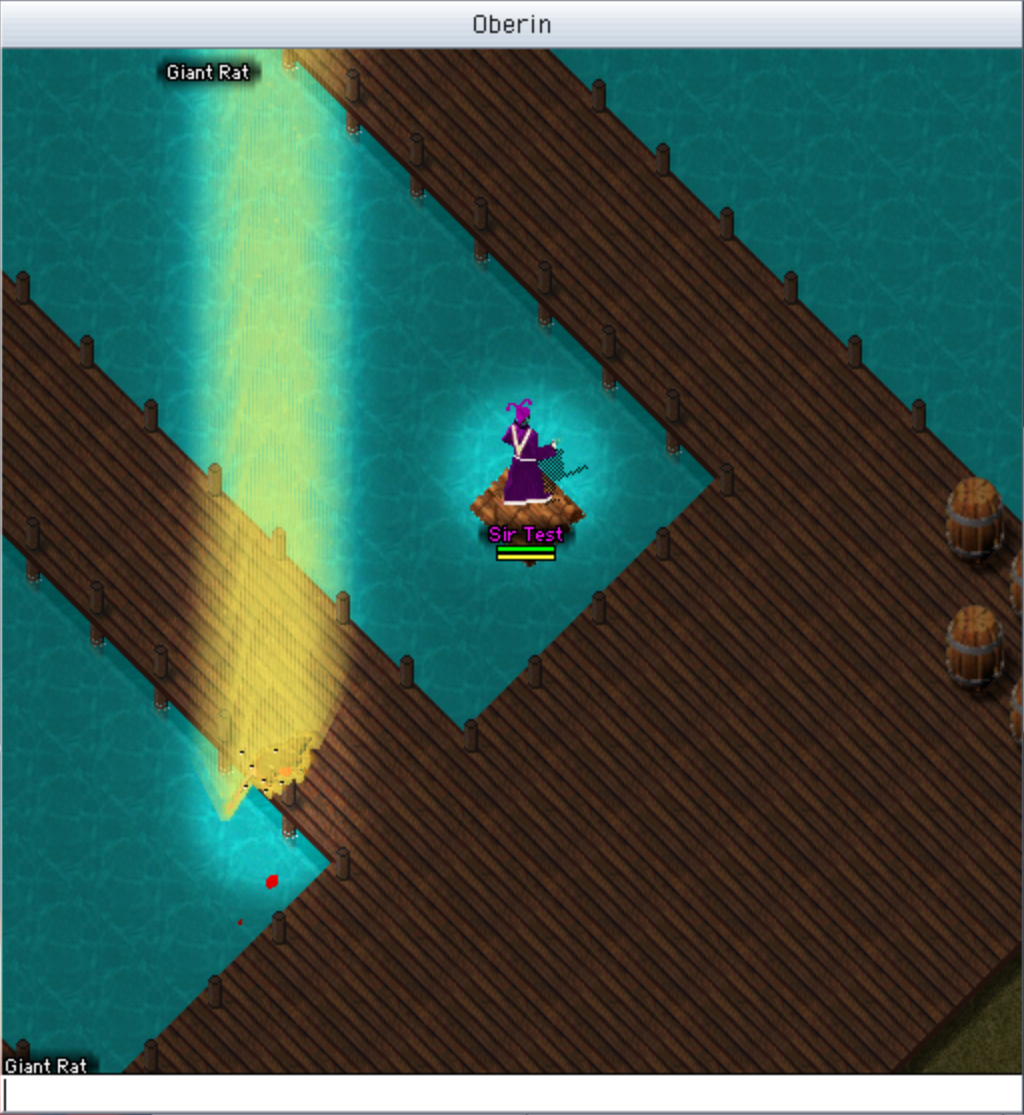
Wild sharks act more like deep-water predators. Idle wild sharks drift toward deeper water when they can, are more likely to leave shallow dock channels for open water, and wounded creatures in water can draw a shark's attention from up to 30 tiles away even without line of sight.
Fixes
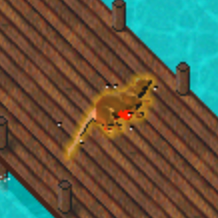
Killing spell impacts now stay visible. Explosions, Fireblasts, Nature and Ice Splash hits, and point-blank Fireball or missile impacts no longer lose their hit effect when the spell immediately kills a creature, including quick back-to-back kills.
Killing spell impacts staying visible after rapid creature kills
Repeated crafting and gathering can continue after successful output. If a result goes to your bank or drops nearby, the repeat keeps going. When it really stops, the Game Log tells you why.
Spell casting now stows held tools first. Tools such as fishing rods are put away before the target cursor appears or the cast begins.
Blacksmithing no longer keeps AFK characters awake. Automatic make-window refreshes no longer count as player activity by themselves.
New characters start with hair. Characters made in the Character Creator now begin with default brown hair instead of a bald head.
Under The Hood
Server networking now sleeps while messages wait for the next tick. Incoming messages are still read at the start of the game loop, but the network worker no longer wakes over and over on the same unread data. This reduces wasted CPU and helps keep the server responsive.
Staff Tools
Staff appearance commands can update skin, hair, and body type. They work on staff themselves, named online players, or clicked NPCs, with autocomplete for supported values.
Staff lag diagnostics now show the slowest server areas. Reports include timing totals and extra detail for the worst area when a lag spike is recorded.
v0.1.41
May 29, 2026
Epic
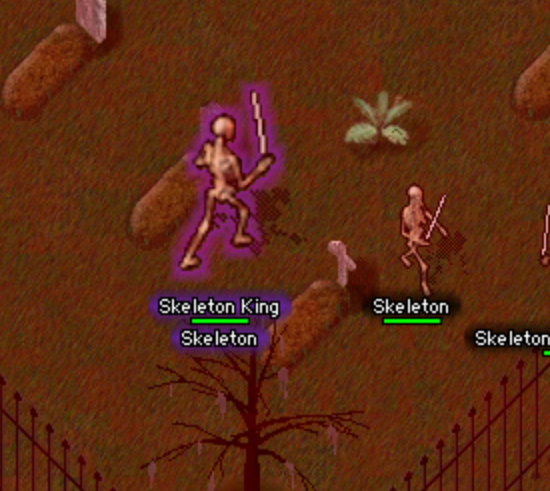
Cleared frenzied surges can trigger a named Frenzy King boss. These tougher fights carry larger loot piles and a better shot at rare drops.
Skeleton King boss highlighted during a frenzied surge
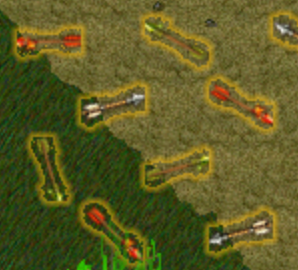
Fire Arrows and Poison Arrows make archery more tactical. Craft special ammo, load it into bows, and threaten vulnerable targets with burning or poison.
Fire Arrows and Poison Arrows lying on the groundFire Arrow and Poison Arrow attacks against a skeleton
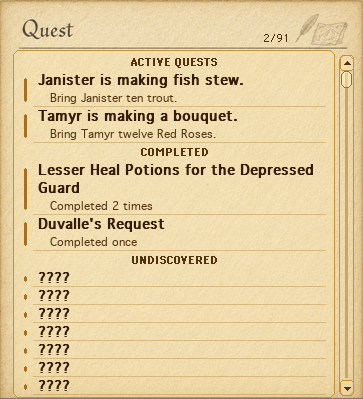
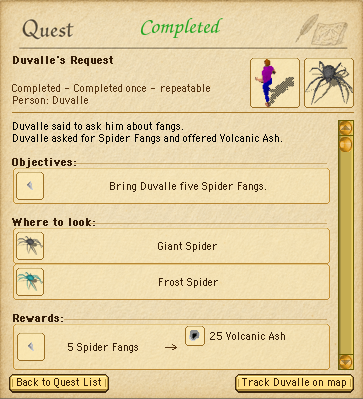
The Quest Log now tracks discovered adventures, clues, and quest NPCs. Review what your character has learned instead of hunting through old chat.
Quest Log list showing active, completed, and undiscovered questsQuest Log details showing Duvalle's completed request
Game and Important Logs now persist server-side. Recent Game Log and Important Log history is saved on the server and loaded after login, keeping important notices separate from routine action messages while item, spell, sign, track, and location history can come back after reconnecting.
Game and Important Logs restored after login
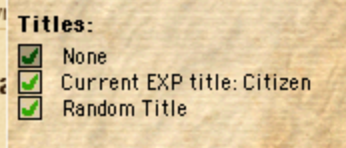
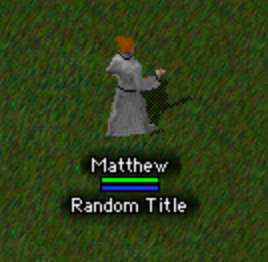
Player titles are now selectable and saved. Choose no title, your experience title, or one of your granted titles; your selected title appears under your progress bar and carries across logins.
Title selection options in the character windowSelected player title shown under a character name
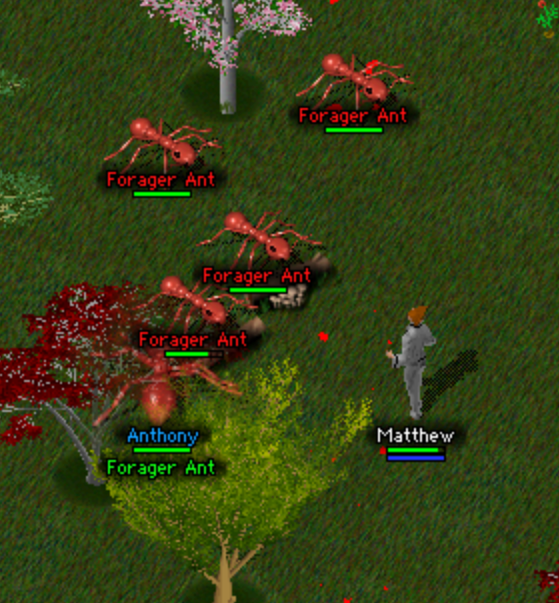
Creature levels now affect threat and visible size. Creatures and active pets scale more clearly by level, so unusual levels are easier to feel and spot.
Large and ordinary Forager Ants showing creature level size differences
Targeting now understands what you are trying to do. The playfield highlights the creature, resource, or tile your current action will use, filters out the wrong kind of target, and gives attacks and spells a smarter near-miss pass so helpful actions do not snag on scenery and enemy clicks still land more reliably.
Targeting preview selecting a tree resourceHelpful targeting selecting an ant while nearby scenery is ignored
Trees and rocks now show gathering wear in the world. Chopped trees and mined rocks gain subtle cut and crack marks as they run low, then look more visibly exhausted when depleted, without changing targeting or resource behavior.
Chopping a tree as gathering wear appearsMining a rock as gathering wear appears
Combat, Magic, And Supplies
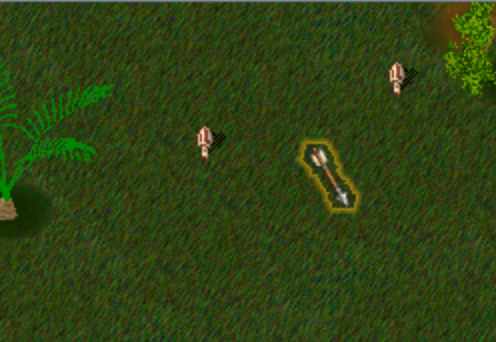
Missed arrows are easier to recover. Missed or no-damage shots can leave arrows on the target tile or nearby, damage shots can leave arrows on the creature, and single-type arrow piles now show matching arrow art.
Recovered missed arrows on the ground
Bow choice and range now matter in archery. Short Bows are most accurate near two tiles, Long Bows near six, and higher Archery skill directly lowers miss chance at the right distance.
Stamina recovers more reliably after combat. Real attack attempts still pause recovery briefly, but a stale target no longer keeps your stamina from coming back once you are not actively attacking.
Higher-tier armor now provides stronger physical protection. GM, Black, and GM Black armor add escalating defense across leather, chain, plate, and shields.
Potion supply now rewards crafting, loot, and preparation. Player-made and looted potions matter more, while shop-bought potions cost more.
Water now helps snuff out burning. Burning creatures fade much faster while standing in or next to swimmable water, so Fire Arrows and other flames do not last long near water.
Special arrows are expensive archery shop stock. Dedicated archery shops may sometimes sell Fire Arrows and Poison Arrows at high prices and buy player-supplied stacks back cheaply, so crafting remains the practical way to stock up.
Poison Arrow crafting is less punishing. Failed Poison Arrow attempts now only rarely poison the crafter, while other Poisoning recipes keep their normal handling risk.
Critical hits are clearer in combat feedback. Critical-hit messages now say whether you or your pet landed the hit and name the target, so pet attacks are easier to tell apart from your own.
Timed buffs now resume after logout. Strength, Agility, Elevate Mind, Opportunity, and Night Vision keep remaining time across logout or disconnect, then continue on next login. Night Vision from spells and potions now uses a normal 20-minute timer.
Support magic is safer to use in crowded fights. Helpful spells can now work through blocked line of sight at reduced strength or duration, while hostile target spells still need clear sight.
Town Fire Fields are safer. Players can cast Fire Field on town tiles, but it will not burn players, player-owned pets, or protected regular and guard NPCs. Hostile town creatures can still burn.
Quest Log And Discovery
Quest Log details and completions are more useful after discovery. Known NPCs, objectives, reward hints, repeat counts, turn-in readiness, and known NPC previews now stay clearer without needing to reread old chat. First-time tracked quest completions now call out the quest by name and play a celebratory sound.
Quest discoveries stay tied to real quest speech. More specific clues can improve a discovered quest's list title, and unrelated speech changes no longer carry stale quest discovery data forward.
The Quest Log remembers whether you leave it open. It now opens by default when there is no saved quest-log choice, and after you close it once your open or closed state is saved with your other gameplay preferences.
Quest markers can draw attention without spoiling details. NPCs with undiscovered quest information can show subtle world markers, repeatable quest NPCs can keep muted markers after discovery, and Track button status is clearer.
NPCs can answer quest and dialogue prompts from farther away. Matching NPCs now hear prompts from up to four tiles away, and when more than one could answer, the closest one responds.
Creatures, Pets, And Rewards
Expert tamers can now tame Queen Ants. Taming level 13 unlocks a new high-end goal for dedicated tamers.
Taming can now swap your active pet cleanly. When a tame succeeds while you already have a pet out, a stableable pet is sent to the stable first, while companions that cannot be stabled are released so the newly tamed pet can join you. The Important Log names the new tame and explains what happened to your previous pet. If your roster has no room, the tame fails and your current pet stays unchanged.
Active pets return where they logged out when possible. Kept pets try to reappear at their last saved world tile on your next login, or at the nearest legal fallback spot.
Released active pets now stay in the world. Releasing an active pet turns it back into an untamed creature at its current spot. It keeps its name, health, experience, stats, and belongings in the live world, and eligible released creatures can also survive server restarts. Stabled pet release still removes only the stabled roster entry.
Pet deaths now explain what happened. When an active pet dies from combat, poison, festering wounds, fire, or a trap, its owner gets a log message naming the pet when possible and explaining the cause.
High-risk kills still reward progress, but light taps and guard cleanup no longer pay out. High-level creature kills can still grant meaningful combat progress, while trivial contribution and guard-assisted cleanup fights no longer pay loot or combat skill progress.
Creature loot stays around longer. Loot left on non-player creature corpses now lasts 2 hours instead of 1 hour, giving players more time to recover drops after busy fights.
Non-Druid pets now train more slowly. Druids remain the stronger pet trainers, while pets owned by other characters still receive at least a small amount from eligible combat gains.
Spirit Animals behave more consistently. Pandas now accept meat and vegetable foods, newly summoned Spirit Animals start at normal full hunger, spirit companions recover from combat animations correctly, and they no longer walk across water.
Spirit Animals now leave a spirit-themed reward bag. Wild Spirit Animals no longer vanish without a reward when defeated; they can leave gold and a small mix of druidic reagents instead of a normal animal corpse.
Wild Spirit Animals can very rarely carry a Crystal Ring. Their spirit-themed reward bags now have a small chance to include one.
Pets pick reachable fights more sensibly. Guarding and hunting pets now choose targets by the shortest walking route to an attack position, so fences, gates, and walls should no longer pull them toward a technically close enemy that takes much longer to reach.
Guarding, hunting, and attacking pets idle more naturally. Nearby pets in those stances can take occasional small wandering steps when they have no target, while Heel and Stay pets keep holding their positions.
Hostile creatures now notice active pets more naturally. Visible player-owned pets can draw nearby hostile attention like their owners, so groups of enemies no longer wait for only one creature to fight the pet at a time.
Daily Comfort And Recovery
Dropped items now stay recoverable for 24 hours. Player-dropped inventory items last much longer, giving you more time after accidental drops, disconnects, or interrupted trips.
Most gameplay preferences now follow your character. Volume, text display, function-key commands, name and health-bar display, pathing, and other core preferences now carry across computers and browsers.
Automated speech stays out of your Important Log. Common automated speech and spell words stay in the Game Log so they do not bury conversations.
Named creature speech is easier to recognize in logs. When a named NPC, pet, or GM-named creature talks, saved speech lines now include its public name and type, such as (Duvalle - Human) or (Rufus - Dog), while speech bubbles stay unchanged.
Inventory, bank, and chest windows now show how full they are. Storage headers show used item slots out of available item slots, making it easier to see when a container is filling up.
Group chest looting is more transparent. When a visible character takes items or gold from a normal world chest, nearby players can see what was looted, making event and quest rewards easier to share fairly. Hidden or stealthed looting and owned chest access stay quiet.
Inventory, bank, and saved containers remember their sort mode. Logging out in a non-manual inventory or bank sort restores that preference on your next login, and saved containers keep their active sort preference when written back to disk.
Window positions restore more gracefully. Web window positions now restore relative to the top center of the game screen, so they behave better when the browser or canvas size changes. Browser-only choices still stay local.
World Readability And Polish
Small scaled graphics hold their shape better. Special arrow ammo icons, scaled window artwork, and visually scaled creatures now use smoother resizing, reducing jagged edges and missing thin details when art is drawn smaller or larger.
Creature status effects are easier to read in fights. Burning, poisoned, and paralyzed creatures now show compact icons beside their health bars, so you can read those effects on other visible creatures instead of only seeing status feedback on yourself.
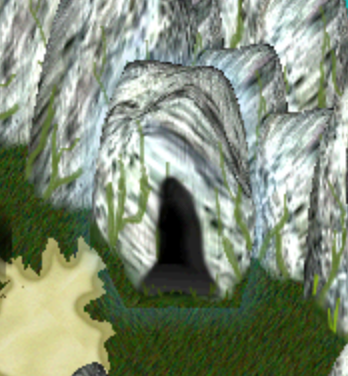
Cave entrances and exits are easier to find. Cave graphics now stay visible through foreground blockers such as rocks and blocking props, using the same transparency treatment as hidden ladders. Entrances get a subtle blue halo, and exits get a subtle orange halo.
Highlighted cave entrance visible through nearby rocks
Complex night scenes should hitch a little less when first shown. Dense lighting scenes should appear with fewer first-view pauses while keeping the same look.
Frenzied areas render far more smoothly. The cloudy red haze should hitch less while you move, turn, or enter the area without making frenzied ground harder to read.
Fixes
Mining, chopping, and fishing feedback now shows the right message. Exhausted rocks or trees, missed gathers, full packs, invalid targets, and too-far targets now show direct text instead of sometimes displaying unrelated item-condition wording.
Auto-repeated crafting and gathering handle pauses and stops more clearly. Mana-consuming crafting now waits quietly for mana to recover and continues instead of stopping the repeated action. Missing resources, ingredients, pack space, or tools stop repeated work with a system beep, and full-pack ground drops say the repeated action stopped.
Eating no longer interrupts repeated work. Food use and other unrelated inventory changes no longer stop chopping, mining, fishing, or crafting; unrelated shop or trade changes also stay out of repeated work. The next repeat still checks tools, ingredients, pack space, and resource availability before continuing.
Crafting overflow messages now read in the right order. Successful crafting now shows the success message before explaining that a full pack sent the crafted item to your bank or dropped it nearby.
Longer names now display fully. Character, login, party, pet, corpse, container, custom NPC, and Identify names can use up to 31 visible characters.
Longer creature name displayed fully in the world
Server selection stays steady after brief connection drops. If your internet connection drops and comes back, the launcher and Character Creator keep using the last loaded server list instead of falling back to Other, unless no server list has loaded yet.
Login now times out when the server is not ready. If the web client starts connecting but the server never finishes login, Oberin now returns to the login screen with a clear message instead of staying on the Entering Oberin screen forever.
Browser keyboard input recovers from missed modifier releases. If the web client misses a Control, Command, or Alt/Option key release after a shortcut, pressing Enter or continuing with normal unmodified input now clears the stale modifier state so chat and commands can keep typing.
Hidden browser tabs keep ticking more steadily. Switching away from the browser tab no longer fully pauses the web client's main loop, so returning to the tab should avoid a burst of delayed actions and rapid catch-up rendering.
AFK logout timing is enforced more reliably. Characters left fishing, blacksmithing, or otherwise inactive should no longer stay logged in past the timeout, even during busy refresh periods or server restart/shutdown edges.
Professor Brite now describes amber fossil rewards correctly. His 25- and 50-fossil reward hints now match the rewards he actually gives.
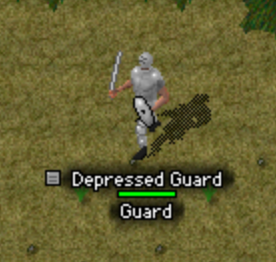
Misplaced Lerilin Vanguard guards no longer appear in the wrong spot. Two guards near Lerilin were disabled until their placement can be reviewed.
Performance And Reliability
Login and reconnects should fail more safely. Required login data stays in order before the world appears, and fast reconnects during account saves ask you to try again shortly instead of loading stale data.
Routine server work should interrupt play less often. Saves, login checks, sign text, and public population reads now do less blocking work during normal play while important saves still protect recent progress.
Busy creature areas should cause fewer stalls. Creature spawning, pet targeting, idle checks, and chase or return-path searches now reuse more work and respect tighter limits without changing normal active updates.
Frame pacing should feel smoother when the server or app is keeping up. Server responses can land sooner during healthy ticks, and the desktop app avoids tiny extra display waits.
GM Tools
Player title commands are more flexible. Staff can grant, select, list, lock, and unlock titles with /title; newly granted titles select automatically unless locked.
Guard patrol checks are faster. True GMs can use /guard next and /guard prev to cycle through loaded guard NPCs in world order, using each guard's live location when available.
Staff have stronger live-event controls. Live creature setup, cleanup, manual spawners, marker inspection, spawner groups, and player danger beacons can now be managed in-game without changing future spawn templates.
Staff support tools are cleaner. Quest support, skill audits, lag follow-up, event testing, announcements, and command help now provide clearer information with less command friction.
v0.1.40
May 15, 2026
Fire, Campfires, And Fiery Danger
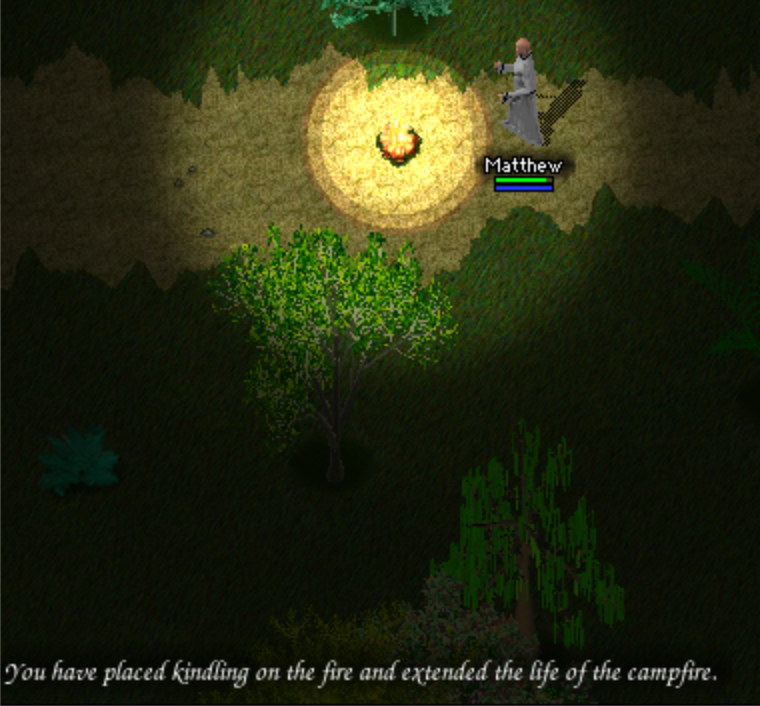
Campfires can now be built and refueled in the field. Kindling starts a 15-minute campfire in front of you, and kindling or logs can refuel an existing timed fire. Player-fed fires can last up to 5 hours, and their light fades near the end so you can see when they are about to go out.
Campfire with kindling extending its burn time
Fire is now a real status danger for creatures that can burn. Fire fields, campfires, and burning corpses can catch players, pets, NPCs, and monsters in living flame. The longer something stays in the fire, the wilder and more dangerous the flames become.
A character catching fire beside a campfire
Fire magic, Fire Swords, fiery creatures, and player-cast Explosion can set targets ablaze. Fire spells, Lightning Bolt, Smite, Fire Sword hits, natural hits from fiery enemies such as Red Dragons, Magma Golems, Hell Hounds, and Lava Spiders, and player-cast Explosion on burnable survivors can leave vulnerable targets burning.
Fire Sword flames on a character
Fire can train Resisting Magic when creature-applied flames take hold on a player, while stronger resistance and naturally fiery bodies can shrug off some flames.
Fire looks and behaves more naturally in the world. Flames cling to moving creatures, burning corpses keep the fire intensity they had at death before cooling down over time, and creatures react with more personality: cautious ones avoid fire, sheep may still wander in, and NPCs may panic and shout when they catch fire.
A fiery creature setting an enemy ablaze
Status Feedback
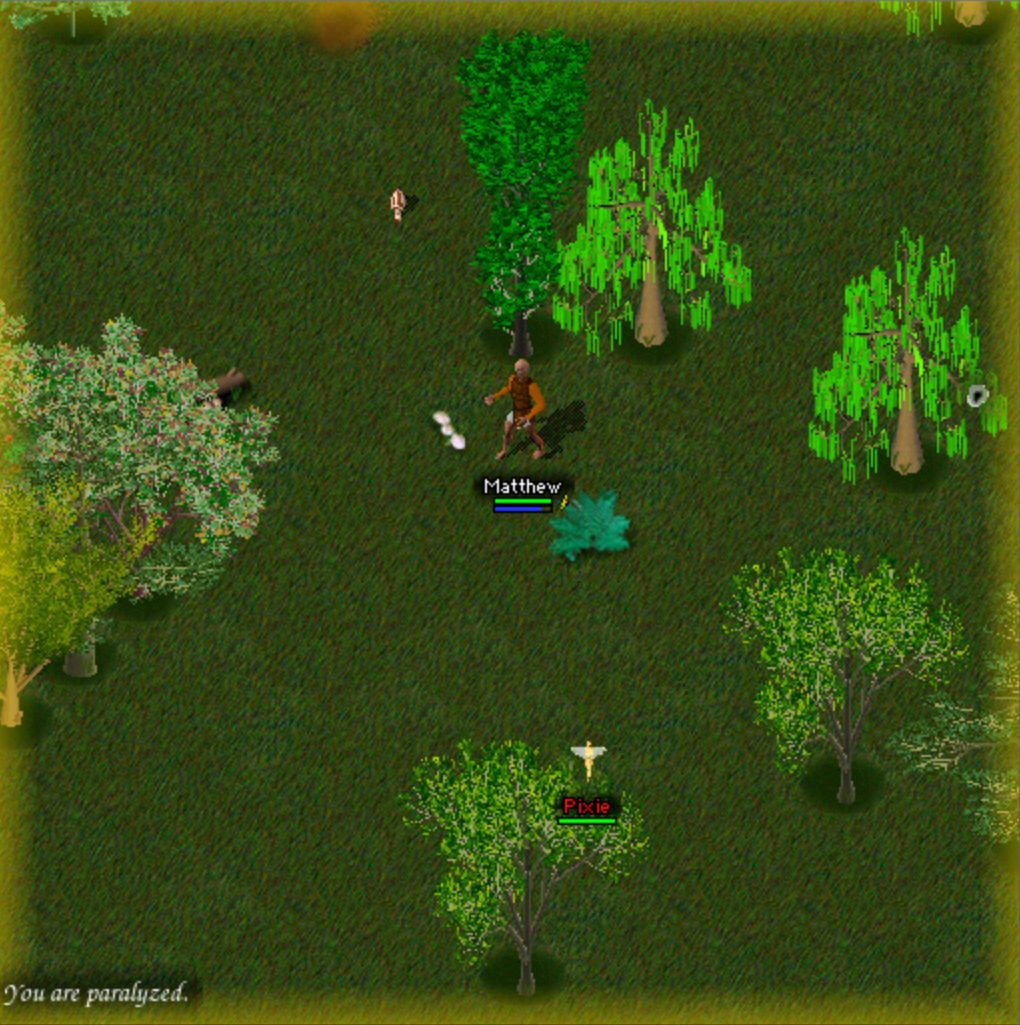
Paralysis is much clearer in the moment. Yellow warning bars now frame the playfield and flash brighter when movement or another action is blocked.
Yellow paralysis warning bars around the playfield
Status icons now sit beside your healthbar for major effects such as burning, paralysis, and poison, so danger is easier to read during a fight.
Burning and poison status icons beside the healthbar
Pets And Companions
A new Spirit Animal encounter is waiting for explorers to discover and tame.
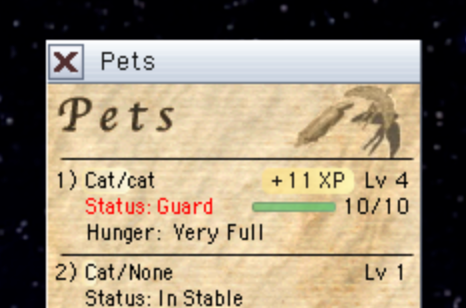
Pet progress in the Pets window now shows each pet's level progress and a visible +XP flash when that pet gains experience.
Pet progress and XP flash in the Pets window
Active pet health in the Pets window now appears beside the pet stance, with a compact health bar and current/maximum health.
Active pet health bar in the Pets window
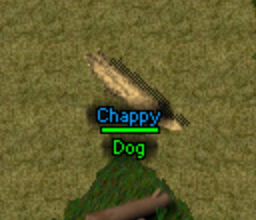
Pet names in the world now show for nearby players when the Names overlay is on, making active pets easier to tell apart.
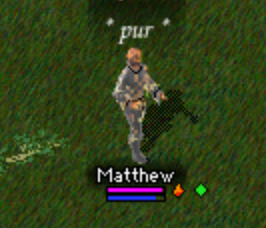
A named pet visible below its healthbar
Active pet stances now survive logout and login. Pets set to Guard!, Stay!, Attack!, or Hunt! come back beside you with that stance still set.
Hunt! gives pets a more active combat stance. Hunting pets protect you like Guard!, but can also pick fights with nearby evil or neutral creatures around you. Once a hunting pet starts a fight, it stays committed until that fight ends before returning toward your area.
Stable Pet gives clearer combat feedback. When an active pet is already in combat, the spell now explains that your pet is ignoring it instead of only saying the spell fizzled.
Guarding pets pick up the next fight more reliably. After finishing one target, a guard pet now goes after your current combat target first, or the closest creature threatening you if you do not have one targeted.
Pet commands carry farther. Pets can hear commands such as Guard!, Heel!, and Stay! from up to 20 tiles away.
Friendly idle pets try to step aside when you walk into them, letting your move continue if the pet has somewhere nearby to go.
Friendly idle pet stepping aside during movement
Pet combat training is easier to read. Pet melee, damaging creature spells, and assisted kills now combine into one clearer XP payout after an eligible target dies.
Pet saves and ownership are safer around logout, stabling, taming, ladder follow-up movement, and permanent-pet checks.
Skills, Travel, And Crafting
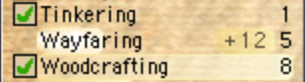
Wayfaring is a new passive travel skill. Successful walking steps now grant Wayfaring experience, giving long trips and exploration their own visible progress.
Wayfaring progress in the Skills window
Skill approach helps you get into position automatically. Clicking a reachable tree, rock, water tile, fire, or forge from too far away can walk you into place, face the target, and continue the skill.
Skill approach walking to a cooking fire
Crafting can use nearby storage for ingredients. When you craft while standing on an accessible chest or in a bank area, Oberin can use matching items from your inventory first, then nearby storage, then your bank.
Crafting overflow at the bank is safer. If a crafted item will not fit in your pack while you are at the bank, Oberin can place the overflow in your bank instead of dropping it immediately.
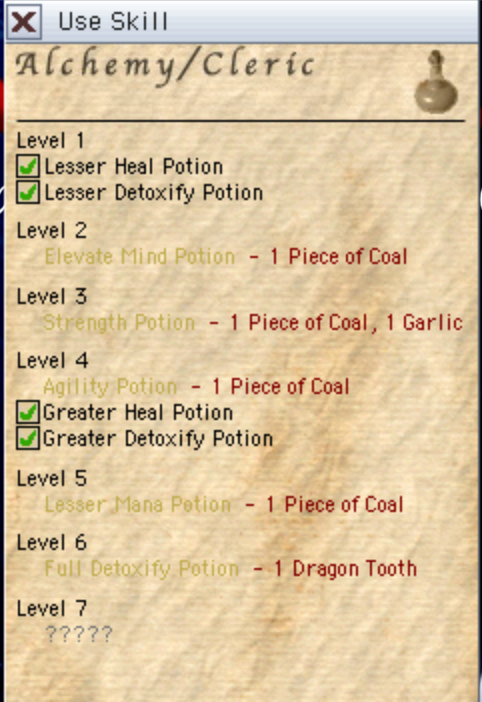
Crafting and Use Skill lists now show recipe progress by level. Known recipes stay named, while the next future level with something to learn appears as ?????.
Use Skill recipes grouped by level with future progress hidden
Fishing rewards skill more consistently. Rare finds improve with Fishing skill, special-pole catches now award matching XP, and Sea Bass grants 2 Fishing XP.
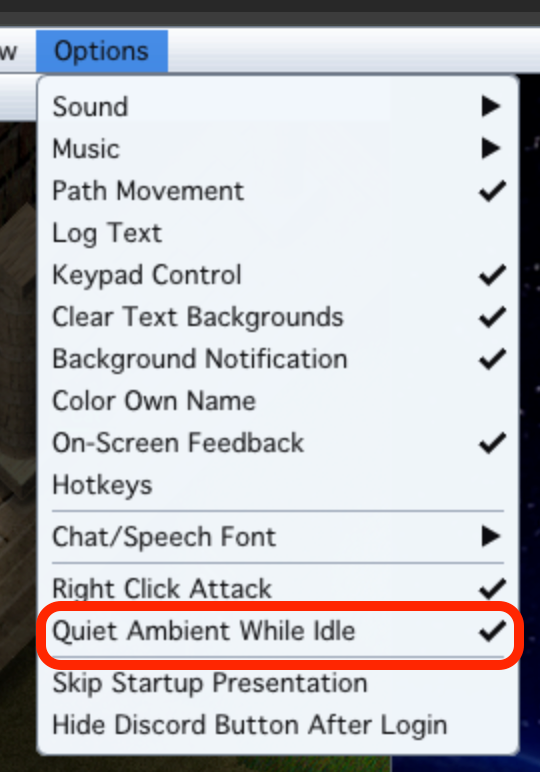
Quiet Ambient While Idle is a new remembered Preferences option for long crafting, mining, chopping, and other standing-still sessions. After two minutes without moving, passive sounds such as cat meows, seagulls, wind, and repeated work sounds quiet down while combat and important feedback still play.
Quiet Ambient While Idle preference in the Options menu
Lerilin curse help is easier to find. Cleric John now points players toward buying Remove Curse from him when they mention babble or curse nearby.
Inventory, Shops, And Storage
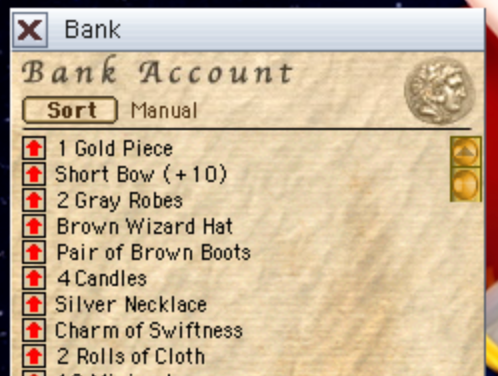
Inventory, bank, chest, shop, and crafting lists now scroll when there are more items than fit onscreen. Your carried inventory also has twice as many slots as before.
Bank account list with scroll controls
Gold and grouped item stacks can grow much larger. Characters can carry up to 2,000,000,000 gold, and most grouped item stacks can hold up to 10,000,000.
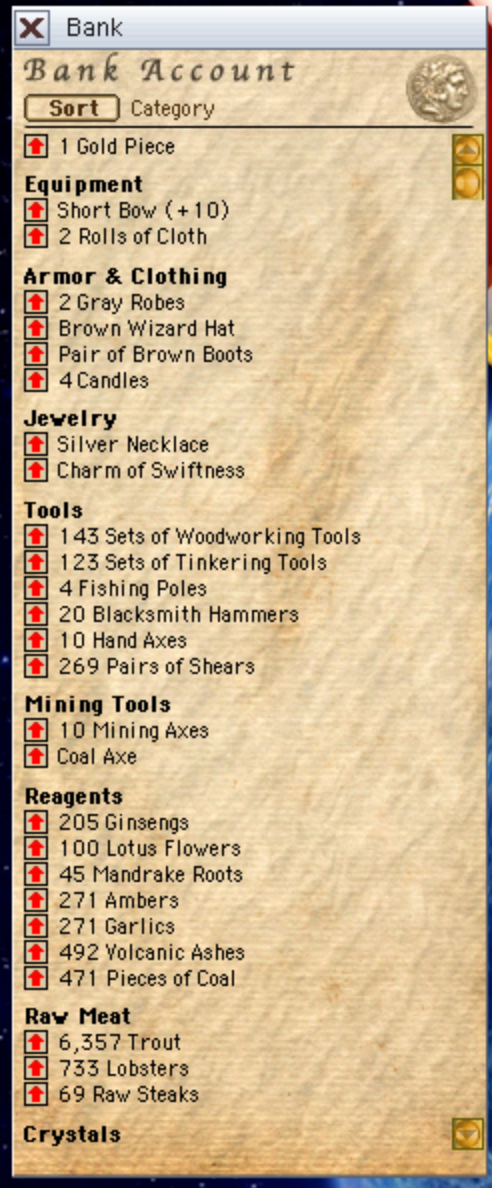
Inventory sorting is available from inventory, bank, and chest windows. The Sort button cycles through Manual, Alphabetical, Count, Weight, and Category, and sorted windows stay sorted as items move in and out.
Bank account sorted by category
Category sorting makes storage easier to scan. Weapons, armor, gathered resources, skill materials, potions, quest items, food, crafted items, and reagents sit under left-aligned labels with extra space between sections.
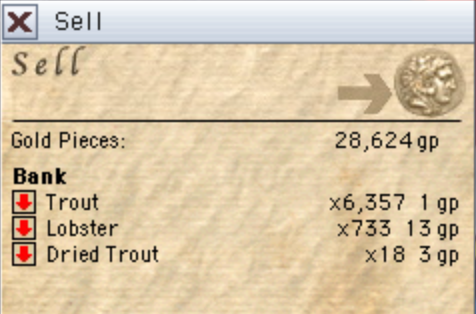
You can sell items directly from your bank at shops. When you are standing at a shop, the Sell window separates Inventory and Bank items, shows how many you have, and pays the sale price into your carried inventory.
Sell window listing items available from the bank
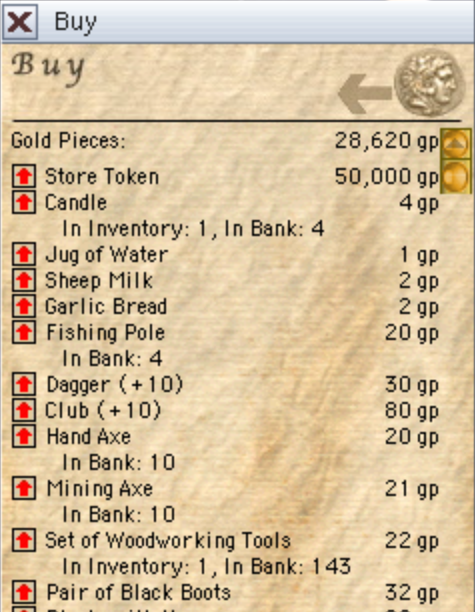
Shop stock is more dependable for everyday goods and services. Common essentials should no longer disappear from unlucky refreshes, while rarer goods can still rotate.
Buy window showing dependable shop stock
Bank withdrawals now match inventory and chest behavior. A normal Get click moves one grouped item or one gold, Command-click or Control-click moves as much as you can carry, and Option-click asks for an amount.
Combat, Creatures, And Loot
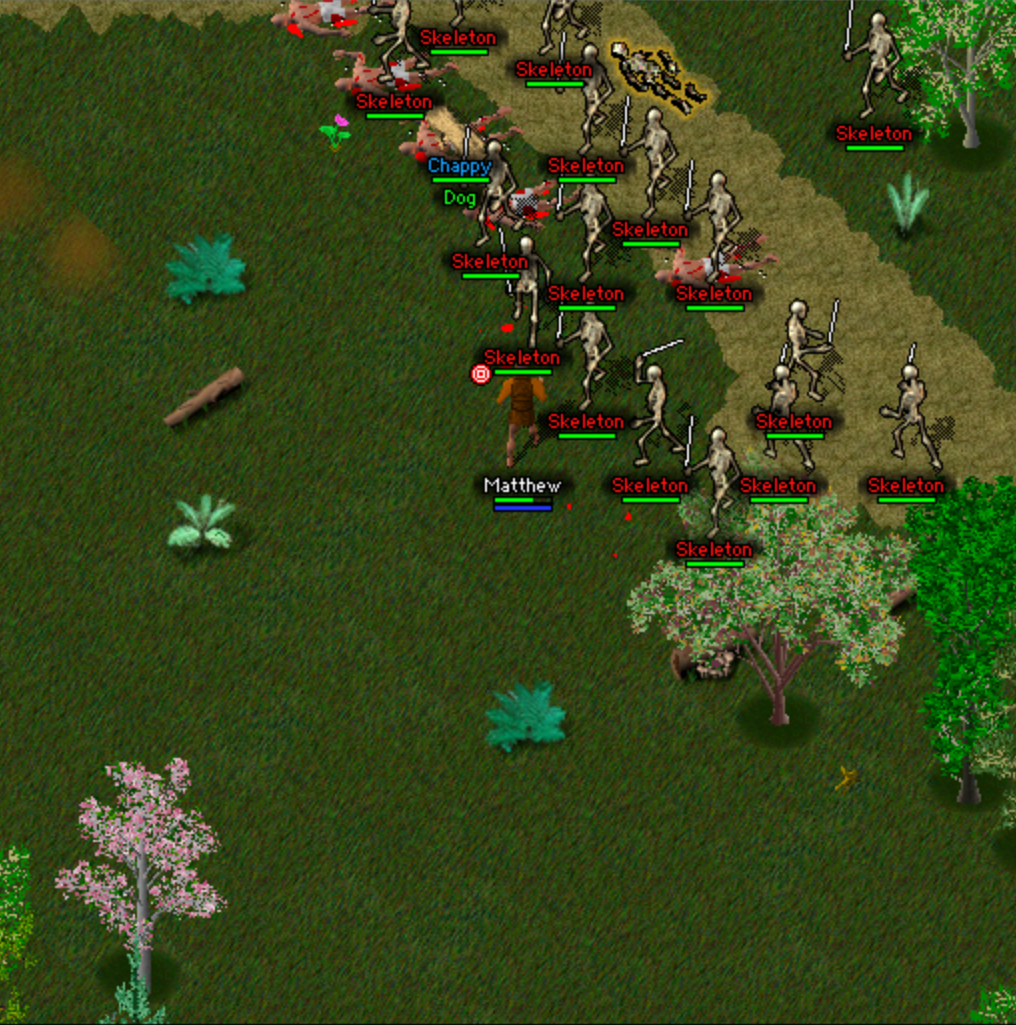
Larger creature chases can now build around a single player. Up to 30 hostile creatures can chase the same target, so crowded fights and dangerous spawn areas feel less artificially limited.
A larger skeleton chase building around one player
Creature combat growth now follows the same level-vs-level training style as melee. Tougher enemies are more rewarding, and wild creatures can also grow from fights they survive.
Creature respawns pace themselves more naturally. Busy areas wait longer before replacing defeated creatures, while emptied areas still rebuild, and stronger dungeon threats, dragons, and boss-style encounters take longer to return.
New creature spawns prefer spots outside players' current view when a spawn area has one available, making respawns feel less abrupt.
Smite now harms undead when first learned. Level 3 Clerics can damage skeletons and other undead as soon as they learn Smite.
Cleric spell training is much faster. Successful Cleric spell use now grants four times as much Cleric Magery experience.
Strength, Agility, and Elevate Mind buffs now last 20 minutes from both Cleric spells and matching potions.
Combat animations recover correctly when you break away from a creature mid-attack, so players and guards should no longer stay frozen in an attack pose while walking.
Deaths resolve into corpses much faster. Fatal damage now moves players and creatures to the corpse step on the next eligible server movement pass instead of leaving them paused in place for about two seconds.
Reflected spells behave more reliably when a spell bounces, including follow-up burning damage and credit.
Rare loot beams are reserved for more meaningful finds. Common elemental satchel drops and Giant Hearts stay quiet, while true rare finds such as Lightning Bolt Rings and Holy Daggers still glow when found.
Controls, Movement, And Readability
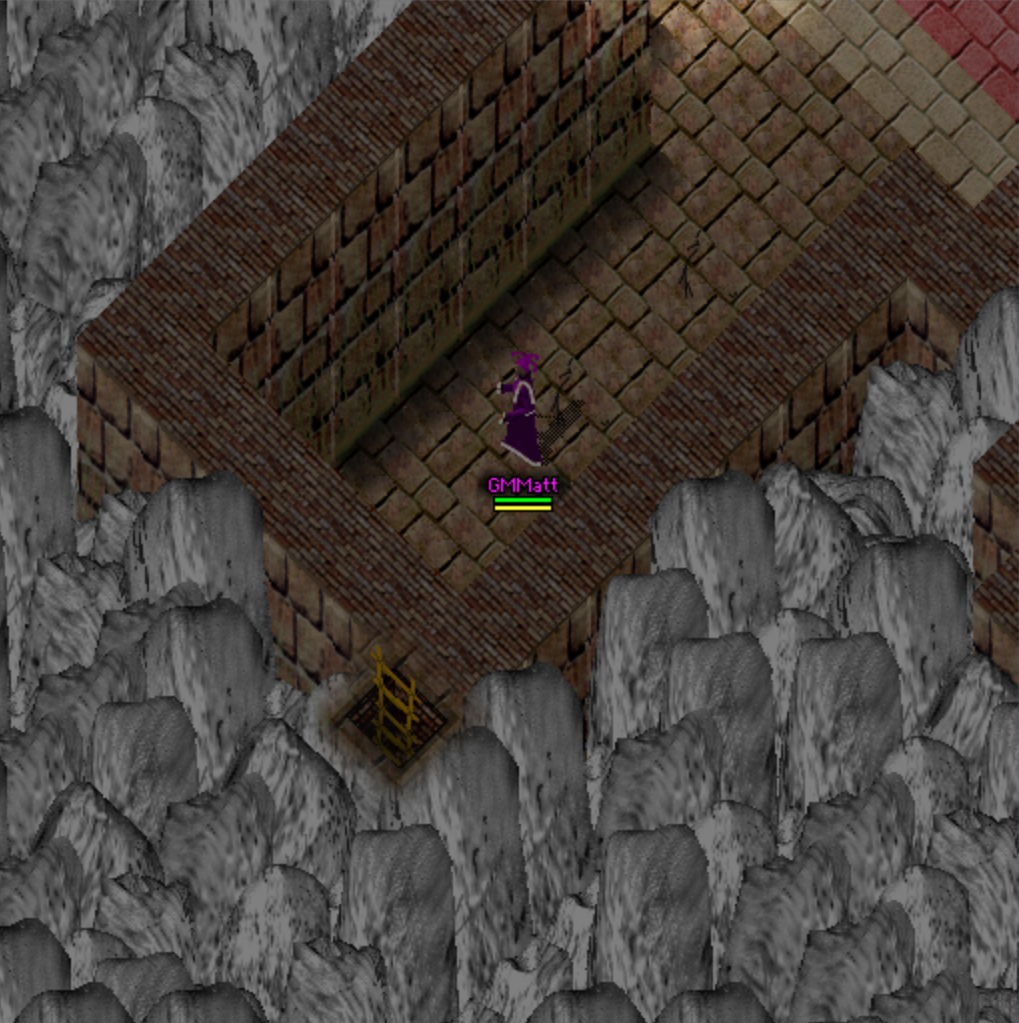
Hidden dungeon finds are much easier to discover. Ladders, dropped items, corpses, and creatures that used to disappear behind awkward walls, trees, or rocks now show through just enough to be found, without making the whole area look hollow.
A hidden ladder visible through dungeon foreground terrain
Big numbers are easier to read at a glance. Gold, prices, quest rewards, carried weight, and known grouped item stacks now use comma formatting.
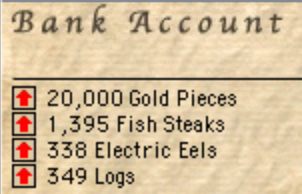
Comma-formatted bank account item counts
Automatic movement chooses more sensible paths. Click-to-move, skill approach, auto-follow, ladder follow-ups, and raft docking now avoid nearby attackers when possible, prefer roads without dragging you sideways, and keep straight dock-to-dock clicks from slipping into the water.
Amount prompts are easier to answer. When the game asks how many items or how much gold you want to move, the chat input is selected right away so you can just type the number.
(Web)Release Notes can be reopened from the in-game app menu near About Oberin after closing the launcher pane.
World Polish And Reliability
NPCs with varied wardrobes can change clothes over time. Townsfolk with random clothing no longer stay in the same look forever between NPC reloads.
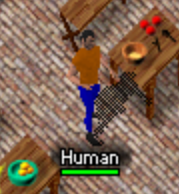
Shopkeeper with varied clothing
Map-edge locations display safely when your character is near the world border, including edge routes such as Wellspring to West Castle.
Creature movement visuals stay better aligned with server timing, so pets and nearby creatures are less likely to pop from tile to tile or replay late half-steps.
Character and NPC appearances tolerate older or unusual appearance data safely instead of freezing the client when a strange-looking character enters view.
Player and creature targeting is stricter in rare edge cases, reducing wrong-target behavior around reconnects, active pets, logout, and rapid state changes.
Inventory and gold messages keep the correct player name in rare cases where pickup or transfer messages could lose or mislabel the source.
Potion gear restoration is safer when using a potion, dropping items, or sorting inventory during the potion delay.
Chest sorting and refreshes ignore stale updates from older chest views, so reused containers are less likely to show old contents or reorder unexpectedly.
Server data updates apply bundled world and creature settings more reliably during startup, reducing the chance that a server update leaves a game world unavailable.
GM Tools
(GM)Babbled speech review shows staff the original text with a [babbled] marker, while regular players still only receive the babbled message.
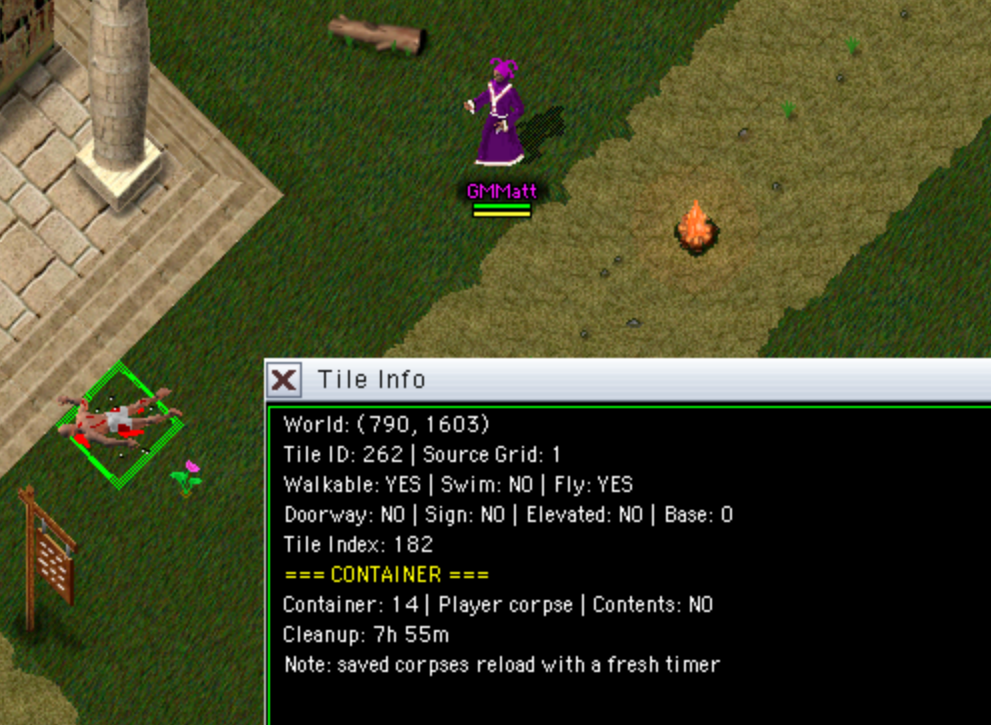
(GM)Tile Info window lets staff inspect detailed tile information, including world coordinates, tile IDs, movement flags, container details, cleanup timers, and other map-state details.
Tile Info window showing tile, movement, and container details
(GM)Ladder testing commands/ladder next and /ladder prev help staff cycle through loaded ladder routes and verify transitions.
(GM)Campfire staff tools can create timed campfires for events or testing and clean them up later.
(GM)/ignite controls burning for events and testing.
(GM)NPC dress-up keeps staff-assigned clothing in place until NPC settings are reloaded.
(GM)Staff target tools use stricter target checks, reducing rare wrong-target behavior, and remain available if a staff character is dead.
Under The Hood
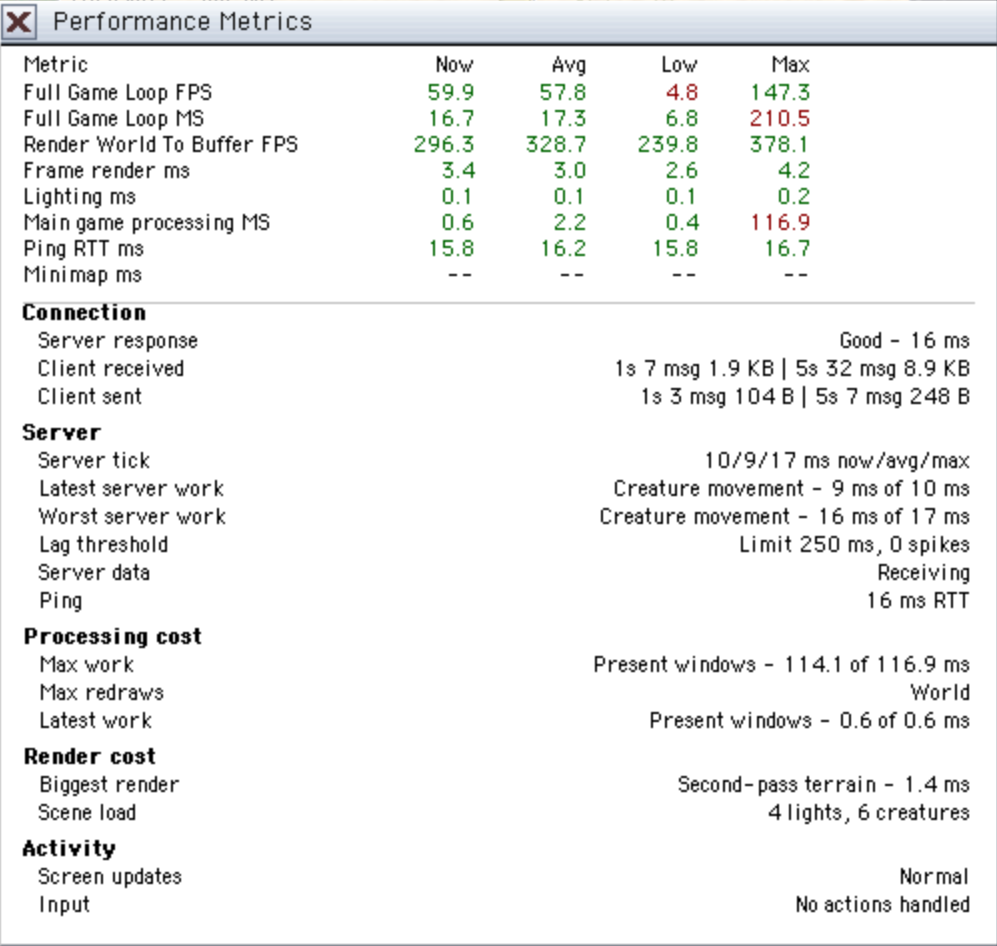
Performance diagnostics make slow moments easier to understand by showing live rendering, server tick, spike, and ping information.
Performance Metrics window with rendering and server diagnostics
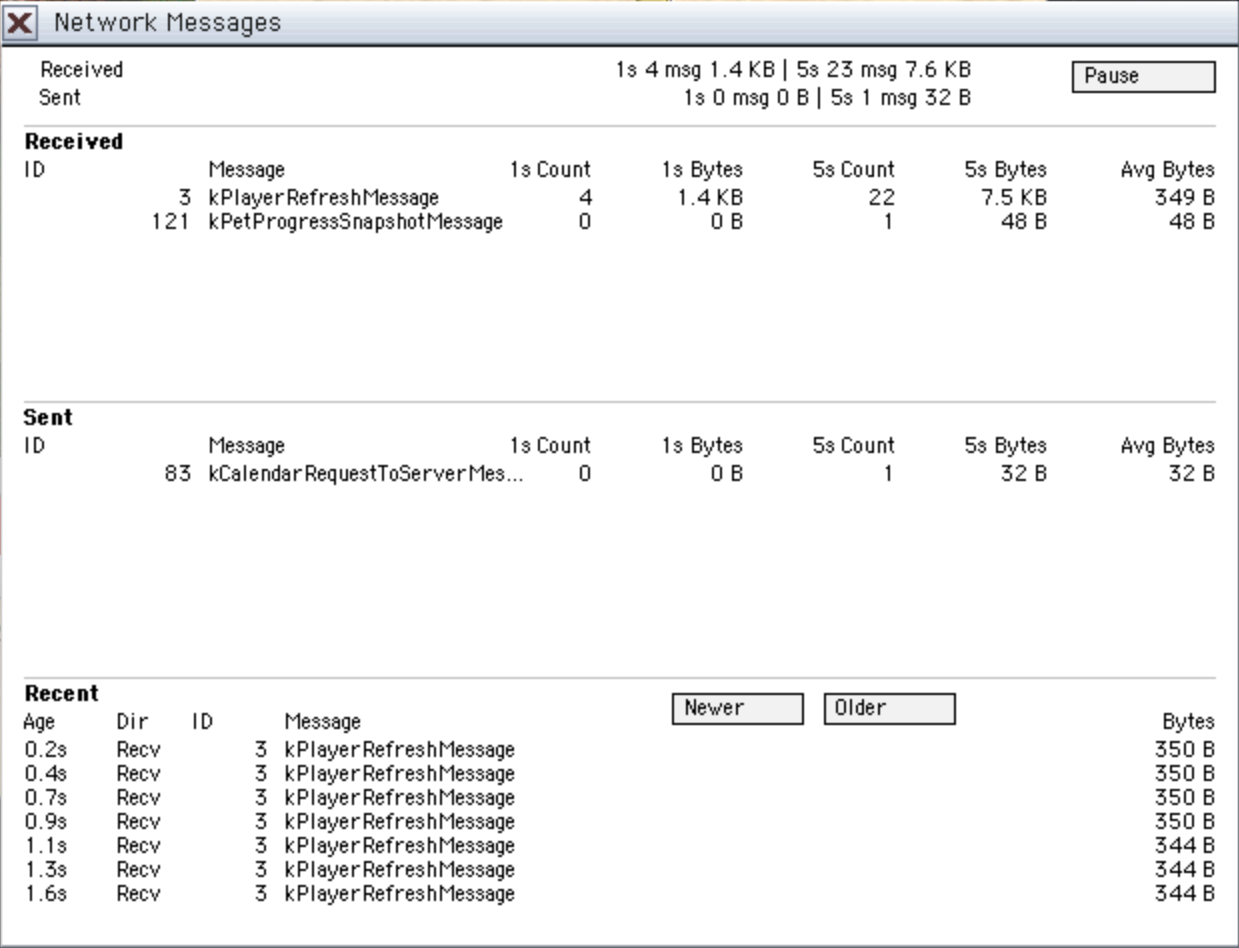
(GM/Local)Network Messages is a new diagnostic window for staff and local testing, showing recent sent and received message traffic.
Network Messages diagnostic window with received and sent traffic
Busy creature areas should be steadier because the server does less idle bookkeeping for creatures that do not need attention on that tick.
The playfield renders much faster, especially in dense layered scenes. A major rendering optimization gives Oberin more headroom on a wider range of computers, helping movement and combat feel smoother with lower latency now while making room for bigger future visual and gameplay features.
Character history tracking records more of your journey behind the scenes, including travel, crafting, item activity, combat, quests, deaths, resurrections, and pet activity.
Inventory save data has a clearer internal format, so stack counts, equipment durability, and item quality data stay separated more safely behind the scenes.
Corpse recovery and over-full inventory handling are safer for dropped-item order, locks, traps, rewards, crafted overflow, old-ring exchanges, and tools breaking in hand.
Creature combat progress credit stays more consistent across pet melee, creature melee, creature abilities, and status damage.
Status-effect foundations now power burning and paralysis through one shared system, making character effects more consistent now and easier to expand later.
Many more legacy systems are sturdier behind the scenes, making older parts of Oberin easier to maintain, safer to expand, and more dependable for future updates.
Fixes
Auto-attacking continues after weapon swaps. Switching from fists to a weapon, or changing your right-hand weapon while a creature remains targeted, now resumes on the equipped weapon's normal attack timing instead of pausing for several seconds.
Fire Field targeting is reliable again. Fire Field uses your creature or tile target instead of getting confused with campfire placement.
Equipment slots recover cleanly after death. Worn-item slots now clear from the death refresh, so empty or dropped gear should not linger as question marks after dying.
Container pickup messages are more accurate. Larger grouped-stack pickups no longer say your pack is full when the requested amount actually fit.
Statistics window text fits better for very large carried-weight totals and longer hunger labels.
Many more memory-safety and security fixes landed across gameplay, inventory, networking, and server systems.
v0.1.39
May 2, 2026
World, Light, And Danger
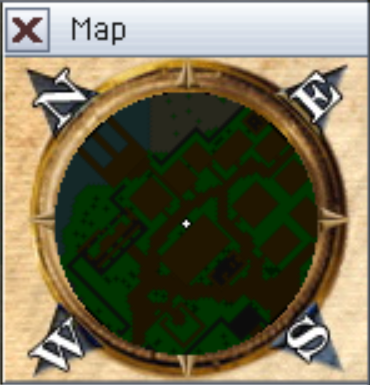
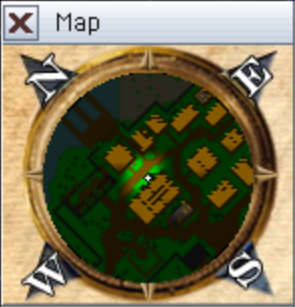
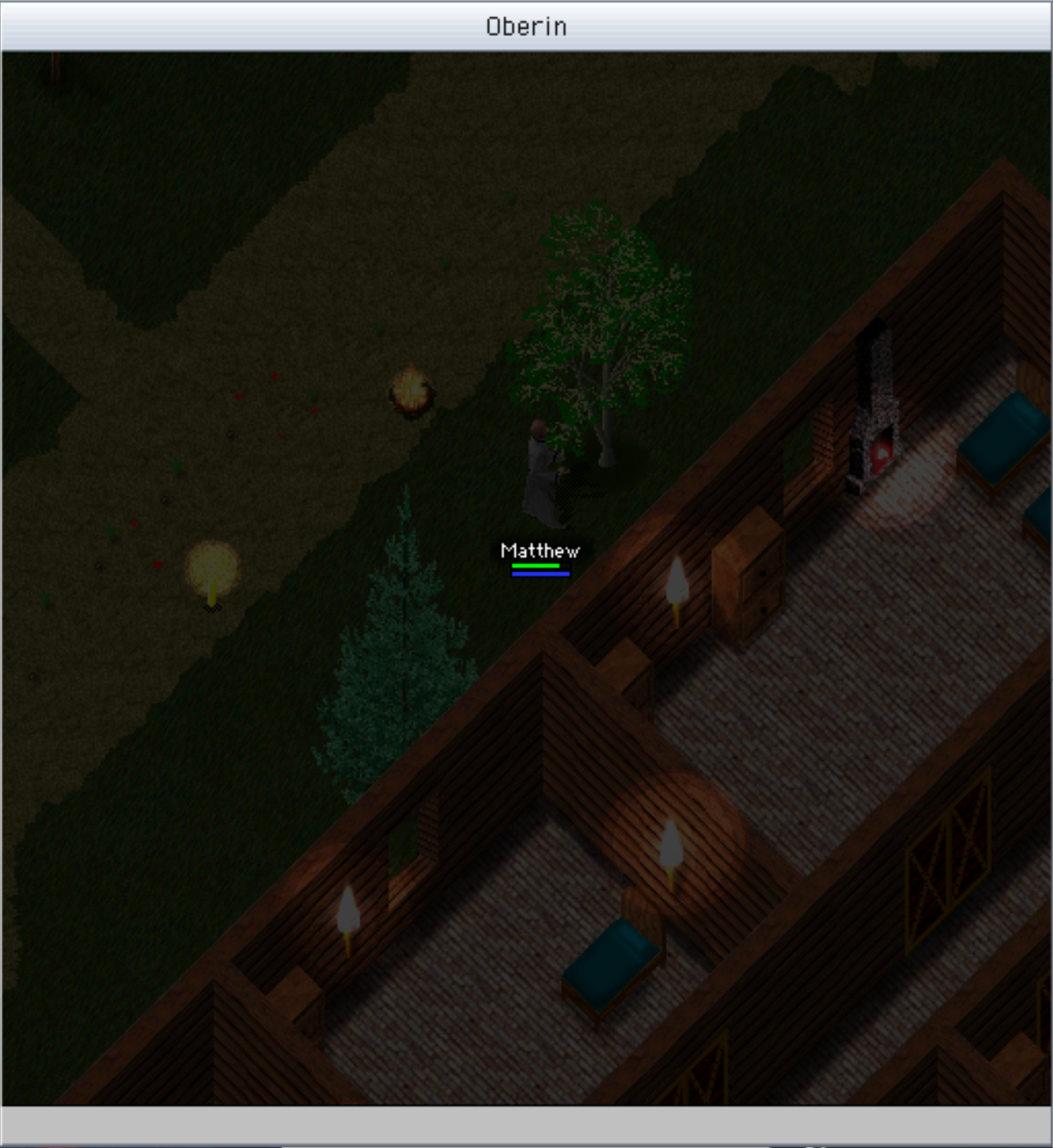
Firelight and bright magic now push back night, cave, and dungeon darkness on the playfield and minimap. Torches, campfires, fireplaces, fire fields, fire spells, flaming swords, glowing creatures, lightning, and bright spell flashes cast soft light that respects walls, trees, rocks, and doorways, so rooms, corridors, and obstacles read more naturally. Wall lights stay on the room side, including bank-style wall torches on the minimap, carried lights stay centered during smooth movement and keep working when foreground trees overlap your character, door states affect light, free-standing candles cast a wider usable glow, candles and campfires fade out more smoothly instead of ending in tile-shaped edges, overlapping lights blend together, and minimap firelight spreads at room scale without campfires overwhelming nearby map detail while magical darkness still takes priority.
BeforeAfter
Before: Map lightingAfter: Map lightingBefore: World lightingAfter: World lighting
Candles can now be equipped at your waist. Using a candle equips it instead of consuming it, and an equipped candle gives off a wider personal glow around the equipped character on the playfield and minimap, including other visible players carrying one. A candle stack still lights like one candle, and stronger equipped lights such as a flaming sword take priority.
Equipped candle casting light around a character
Campfires made from kindling now burn for 15 minutes instead of going out after about 90 seconds, giving you more time to cook or gather around the fire.
Cave minimaps now hide disconnected rooms and unreachable spaces while you are underground. The map still shows walkable or swimmable areas connected to your position, plus nearby walls, so cave layouts reveal more naturally as you explore.
Frenzy danger is clearer on the main playfield. Active frenzy areas now build a red haze as danger ramps up, starting light and growing darker before the area calms, while the minimap haze keeps its existing look.
Frenzy danger haze on the playfield
Combat alerts now help catch surprise attacks. When something starts attacking your character, Oberin plays a warning sound, and the alert is stronger if you are AFK or auto-continuing mining, lumberjacking, fishing, or crafting.
Combat, Actions, And Skills
Targeted healing can still help when line of sight breaks. Targeted Lesser Heal, Greater Heal, and Full Heal keep their normal spell checks, but blocked heals now restore 25% of the normal amount and tell you why. Walls, trees, elevated ground, and angled terrain blockers are now detected more reliably too, so blocked targeted heals no longer land as full-strength heals through an obstruction, and other blocked targeted spells still stop before casting.
Anatomy now helps Cleric healing spells. Lesser Heal, Greater Heal, Full Heal, and Mass Heal can train Anatomy when they actually restore health, including casts from healing rings. High Anatomy can also turn those heals into critical heals, showing Critical Heal! when the bonus really increases the health restored.
Potion drinking is more reliable in active fights. Starting to move, run, fight, or manage inventory no longer cancels a potion that is already in progress, while logout and death still stop it safely.
Inventory actions for buying, selling, dropping, giving, banking, and crafting now recover much faster, so quick item management should feel less constrained.
Auto-follow now keeps up better when your target uses a ladder. If the person or creature you are following climbs through a ladder, your character will try to reach the same ladder and resume following on the other side instead of immediately dropping follow because the target is suddenly too far away.
Lockpicking can now keep trying automatically after a failed pick, like Hiding and Stealth. Each failed attempt still shows the familiar failure message, and the action stops when the lock opens, the container is no longer valid, or you interrupt it by moving, fighting, changing inventory, or logging out.
Crafting is less interrupted. You can now buy or sell ordinary merchant items while crafting without stopping the current repeat action.
Death messages now tell you what killed you. Direct final blows can name the player or creature that struck you, reflected spells that kill the caster now credit the reflector correctly, and poison, festering wounds, fire, and traps now get clear cause messages.
Combat training now combines repeated hit chances before the final payout, making several partial training hits add up more consistently.
Passive Meditation training is steadier while mana recovery stays the same.
Creature deaths now show right away, so defeated creatures stop looking active while their corpse and loot finish appearing.
Pets, Corpses, And Loot
Pets that are active when you log out now return beside you when you log back in. Druids can also cast Stable Pet to send active pets back to stable storage without visiting a stable.
Pet training is more rewarding for Druids and other pet owners. Pets can keep gaining experience from more ordinary fights, and Taming gains from pet combat are awarded more consistently.
Pet feedback is more complete. Active pet level-ups are announced in the owner's text log, play a level-up sound from the pet, and show nearby players a normal area message instead of making the pet speak. Pet owners now see which target their pet missed instead of losing that combat feedback.
Stable pet selection can now choose which stabled pet will answer Summon Pet. Say Ready <petName>!, Attend <petName>!, To me <petName>!, Join me <petName>!, or Arise <petName>! while your pets are put away; Oberin confirms the new active stable pet or tells you to stable the pet that is currently out first.
Pet and claim commands are smoother in chat. /pet1 cat can rename a numbered pet, /claim 2 can claim by pet number, Enter accepts selected /claim autocomplete choices, and pressing Right Arrow at the end of a suggested command dismisses autocomplete so Enter sends exactly what you typed.
Corpse recovery is more forgiving. Player corpses now keep dropped loot for 24 hours. Fully emptied player corpses still preserve owner information and can remain for 8 hours, but they no longer show as active corpse-recovery loot beacons.
Death drops are safer when something prevents loot from landing on a corpse. Items and gold that successfully drop still move to the corpse, while anything the server cannot place stays with the dead character instead of being silently lost. If that leaves no room for the usual death robe, your inventory is preserved instead of deleting an item to make space.
Rare finds are fairer when the world or fishing turns up something special. The rarest finds now get checked before common ones, and common crystal colors share one chance before choosing the color, so late-added rare items are no longer quietly pushed behind more common rolls.
Wild creature loot can now include a very rare extra find, giving everyday hunts a small chance at a special drop.
Rare loot beams now help you spot the most valuable loot. Corpses and bags that contain an unusually rare item can glow with a bright beam, making special drops easier to notice before they blend into the ground clutter.
Glowing rare-loot halo on a defeated creature
Loot containers now get a subtle gold outline while they still contain items or gold, making corpses, bags, and chests easier to check.
Subtle gold outline on a loot container
Open get windows now refresh after the ground container under you changes through drops, pickups, crafting output, lock or trap changes, sorting, or other normal container updates, so the window asks the server for fresh contents instead of staying stale.
Creature corpses now keep loot available for 1 hour while they still hold items or gold. Once emptied, they clean up after about 3 minutes, so loot stays recoverable without leaving empty bodies around for too long.
Corpse placement for non-player creatures can now combine with an existing bag or matching corpse graphic on the same tile, preserving the contents while showing the corpse. Different corpse types still move to a nearby empty spot, and player corpses remain separate.
Creature Behavior
Creature names and health bars now stay together on oversized creatures. Large sprites such as dragons and giant spiders should no longer show their name and health bar far apart from each other.
Lerilin dock guards now hold better posts near town instead of being drawn down toward the docks and rat activity.
Crowded spawn areas now thin themselves out more naturally. When too many of the same creature gather around one home area, creatures from that spawn can turn on nearby strays or rivals of their own kind, helping keep local populations from piling up without turning the whole area into cross-species fighting.
Natural frenzy pressure now builds only while an active regular player is near the affected spawn area. Depleted spawns in empty parts of the world no longer ramp toward frenzy until someone is actually nearby.
Idle creatures now avoid wandering through doorways most of the time, reducing repeated door sounds from creatures pacing in and out of buildings. Deliberate movement, chasing, following, and other non-idle movement still work normally.
GM Tools
(GM)Tile Info is now available in release clients after a GM/staff login. Non-staff release clients no longer see Tile Info or Show Tile Highlight, while staff can use the tile-inspection and highlight tools without needing a debug build.
(GM)Frenzy controls are more complete for event and spawn-region management. /frenzy nearby <region-id> starts the source region plus nearby eligible regions using the same natural propagation rules, reports which regions started, and summarizes skipped candidates. /unfrenzy <region-id> and /unfrenzy area [radius] can now reset active, cooling-down, or building frenzy pressure for one region or a local area.
(GM)/makepet can create a permanent pet for an online player by creature id or name, with an optional final pet level. The command stores the pet like a normal persistent pet, requires a free pet slot, and rejects creature types that cannot be stabled.
(GM)/msay is now available to regular GMs as well as senior GM, developer, and quest-path roles. It also appears in slash-command suggestions for the right roles, accepts normal text after the command, and gives a clear denial message when a lower role tries to use it manually.
(GM)/worldlight can now force the world to appear dark, dusk, or light, or restore normal calendar brightness. The new dusk setting gives staff an in-between brightness for events, updates online players immediately, and leaves the real calendar and time-based server rules untouched.
(GM)/drop container autocomplete now keeps the full /drop container <id> command, suggests GM-spawnable container IDs plus 0 for clearing a container, labels known container types, can match by names such as gift, and no longer turns /drop container 56 into the unsupported /drop 56 form.
Web Client
(Web)Quit safety has been improved. The browser client now ignores Oberin's Quit button, Quit menu item, and quit shortcuts, preventing accidental quit actions from freezing or interrupting play.
Under The Hood
Performance Metrics are now available from the View menu during online play. The window shows game-loop and render timing, lighting timing, server ping, minimap timing, and a player-readable summary of connection, processing cost, queued redraws, render cost, scene load, and recent activity. Good values appear in dark green, slower values in dark red, and unavailable or ordinary values stay black; the window always starts closed.
World rendering now does less repeated work in dense scenes with spell effects, creatures, above-head names, health bars, lighting, and the minimap active. Above-head names reuse cached text shapes while still adapting to the live background, and local spell effects reuse exact blend work across repeated casts, improving renderer headroom while preserving the same visuals.
Client window rendering now avoids several redundant redraws during normal network updates, including repeated tracking-map, Tile Info, Stats, Pets, and duplicate window-refresh requests. This should make busy sessions smoother without changing what players see.
World rendering checks now exercise a dense live-scene benchmark with creatures, NPCs, names, health bars, spell effects, lighting, and minimap rendering. The benchmark also breaks down lighting coverage reuse, receiver-map rebuilds, second-pass world drawing, and local spell-effect rendering, making future render optimization safer to measure without changing gameplay.
Server Notes
(Server)Network disconnect handling is more resilient. Sudden client, browser, or service disconnects are treated as ordinary lost connections instead of risking a server crash, and unexpected server exits now include clearer diagnostic details for faster follow-up.
(Server)Live world counters now appear below the connection information, covering creature activity, spawn population, tamed creatures, live containers, ground bags, corpses, treasure containers, permanent containers, occupied item slots, and full bags.
(Server)Connection denials now report incorrect-password joins as a proper denial on Windows release builds instead of sometimes looking like a generic disconnect.
(Server)Container save loading is more defensive. Malformed saved container values are now rejected before they can affect the live world.
(Server)Server update and maintenance handling is more consistent behind the scenes, reducing the chance of extra follow-up maintenance after an update.
(Server)Backup and recovery maintenance is more reliable behind the scenes, helping staff verify and retrieve server backups without changing normal gameplay.
v0.1.38
Apr 27, 2026
New And Improved
Quick item commands make full packs easier to manage from chat. /use item <item>, /drop item <item> [count], and /give item <item> [count] can use, drop, or hand off matching items, while /give item <item> [count] to <player> can send a named item straight to an online player. Autocomplete helps with item and player names, and missing items or offline recipients now get clearer messages.
Potion shortcuts can now drink matching potions from your pack through chat or keybinds. The new commands cover lesser, greater, and full healing; lesser and greater mana; lesser, greater, and full detoxify; Strength; Agility; Elevate Mind; Night Vision; Invisibility; Nourish; and Opportunity potions.
Carried weight is easier to understand. Movement stays normal up to your carry limit, slows more sharply once you are overweight, and can become severe at extreme loads. The Statistics window now shows carried weight as a percent of your carry limit, turns the value red while you are encumbered, and warns you on login if your bag is already too heavy.
Auto-continue feedback is clearer, and repeated gathering should feel less like it is fighting you. Fishing, mining, and chopping no longer stop just because you have been standing still. Failed auto-fishing casts keep trying quietly, real stops explain causes like movement, combat, inventory changes, missing tools, or depleted trees and rocks, and repeated crafting or gathering plays a short alert when it cannot continue. Hide and Stealth auto-continue finishes stay quiet when they succeed.
Fixes
NPC guards now take town protection seriously even when nobody is watching. Evil monsters no longer get a free stroll past a post because no player is nearby: guards can spot and chase them, turn around mid-return if another visible threat appears near the post, and hustle back afterward instead of popping home unless they get stuck.
The Fighting Moon now keeps its promise to meditating minds: its mana recovery blessing grows steadily toward the full moon instead of dipping during the three-quarter phase.
Combat training now gives normal skill-gain chances against creatures below your combat skill level instead of tapering off, and tougher creatures can award more training to better match the effort.
The minimap route highlight now waits for the confirmed route instead of briefly flashing a straight placeholder path first.
(GM) Container dropping now lives under /drop container <containerTypeID>, including /drop container 0 for the clear path. The old /drop <id> shortcut has been retired so backpack drops and world-edit container drops no longer compete for the same command shape.
Web And Account Creation
(Web) Players using a VPN or proxy should be able to browse and play normally. Account creation from those networks now shows a clearer account-creation message instead of a generic website or account-creation error, and rapid repeated attempts now show a clearer "wait a few minutes" message.
Security resilience around account creation and login has been strengthened without changing normal account files or player-facing login behavior.
Under The Hood
Live server maintenance and restart handling is sturdier, especially when control messages take longer than expected.
Several build and runtime warnings were cleaned up so future stability fixes are easier to verify across packaged clients and servers.
v0.1.37
Apr 27, 2026
New And Improved
Nearby minimap markers are more useful in real play: nearby friends, visible players, pets, and attackers can appear as clear markers, and visible marker movement now updates promptly instead of waiting on the slower full-map refresh.
Party lists now save to your account. Oberin used to handle this badly: the party list lived on the computer or browser you played from, so clearing local data, switching browsers, or moving to a new computer could wipe it. The server now owns the list, so it follows your login instead. When someone adds you while you are online, Oberin also tells you who added you and how to add them back.
Corpse recovery is less punishing after death. Player corpses that still hold dropped loot stay around much longer, persist through server restarts, appear only to their owner, and use a larger, clearer compass-ring arrow that points back from the exact minimap direction when the body is off the visible minimap.
Path Movement can now send your character toward a clicked minimap tile. It is also enabled by default for new or reset preferences, while existing saved choices are respected. If that click lands on blocked or invalid terrain, Oberin picks a nearby reachable tile instead. Click-to-move plus auto-follow can also show a longer soft route highlight that stays attached to your character while the server confirms and updates the path, instead of ending short or running past your position. Town routes now favor roads and walkways while avoiding odd-looking zigzags and grass corner cuts.
Carrying too much now slows movement instead of stopping you in place. The slowdown increases as your pack gets heavier, applies consistently to direct movement, click-to-move, and auto-follow, and updates when your carried weight or Strength changes. Dead players keep their lighter movement pace, and Oberin only warns you when you first become too heavy or get back under the limit.
Dungeon and cave areas now render on the minimap too, so nearby markers have useful terrain context instead of appearing over darkness or empty map space. The existing active Tracking overlay still stays separate.
Minimap terrain now follows the same day, night, dungeon, night-vision, and darkness lighting as the main view. Full daylight stays as bright as before, while darker conditions dim the terrain behind markers, routes, corpse beacons, and frenzy overlays.
Active spawn frenzies now tint only the affected spawn area and a small feathered edge with a transparent red haze, so you can see the dangerous area without losing the terrain underneath or washing over the whole minimap.
Action pacing feels snappier. Combat and skill actions recover a little faster, inventory and merchant actions repeat more quickly, read-only refresh/shop/container requests no longer burn your action timer, and failed local checks like pack-full or not-enough-gold no longer eat that cooldown. Bandaging and potion use keep their existing pacing.
Use Skill entries now give clearer feedback: greyed-out rows show missing ingredients, and repeated gathering or crafting explains stop reasons such as depleted resources, interruptions, missing ingredients, and low mana.
/bind hotkeys are smoother and more flexible. Free-form bind text keeps the exact casing you typed, autocomplete guides supported keys and slash-command payloads, and non-function binds like safe letter keys, 0-9, and common punctuation keys now trigger reliably during normal gameplay input.
Chat command autocomplete is more helpful without taking over. Staff spawn/place flows handle names and counts more cleanly, player and pet commands can suggest likely names where appropriate, and typed custom names still remain valid.
Nearby conversation is easier to follow. Spoken player and NPC text can now reach you from farther than the visible screen, and off-screen speech follows the speaker's latest nearby position when Oberin knows it, otherwise pointing toward where it came from. The speech chime still avoids your own speech, pet commands, spells, and system text.
The web launcher's server status badge now shows current players online plus rolling unique-player counts for the last 24 hours and 7 days.
Fixes
(Modern)Sell All in merchant sell windows now works with Control-click the same way it works with Command-click, so stacked items can be sold all at once with either modifier.
(Modern) Fixed a server crash that could happen when incoming network messages were deferred during busy traffic.
(Modern) Equipped tools and weapons with higher item IDs now transfer through screen refreshes correctly, so items such as dwarven mining axes stay visible in hand instead of being dropped from nearby-player updates.
(Modern) Movement keeps the classic two-frame step style while still obeying the server movement delay, and refresh timing updates no longer make the player view snap back after a step has visually settled.
(Modern) Creature chasing, click-to-move, and auto-follow now use bounded pathfinding work, so crowded chases around walls should put much less stress on the server tick while routes still respect the real movement blockers players expect.
Area-owned creatures that end up away from home after losing their target now try to path back instead of simply disappearing. Non-player, non-pet creatures also stop chasing targets they can no longer see after a short grace period, so dragged enemies no longer pursue forever across the map. Returning creatures stop counting against their home area's normal quota while they travel, and a small number can become roaming vagrants instead.
Creatures no longer stand frozen outside their home area when a hidden or stealthed target slips away. If the target cannot be revealed from where the creature already stands, the creature now drops that target and resumes normal idle, wandering, or return-home behavior.
Guild hall access now handles guild-name capitalization more forgivingly. If the same guild appears with different casing in different saved places, movement, Teleport, guild-owned containers, tracks, and public All hall settings now treat it as the same guild while keeping the displayed text unchanged.
Nearby minimap dots now recover more cleanly after teleports, portal movement, pet relocation, reconnects, friend-list changes, new logins, spawned creatures, and other sudden state changes.
Bare-handed combat crits now behave correctly for the caster classes. Clerics, Druids, and Wizards can once again land their intended Wrestling-based critical hits, without changing the separate armed crit rules or the existing Ranger / GM archery behavior.
Spell edge cases behave more cleanly. Magic Disarm gives clearer feedback when there is no magical trap to remove, and Magic Disarm / Teleport no longer spend resources when those spells are blocked before they can take effect.
Temporary Strength changes now affect carry capacity consistently: Strength effects help weighted-down players move and receive items while active, and Weaken lowers carry capacity as shown.
Pet critical-hit feedback now lands where it should. When one of your pets scores a critical hit, the owner now sees the Critical Hit! message reliably instead of that feedback sometimes being dropped.
Fire Field now grants Wizard Magery experience when its flames damage eligible enemy targets, with safeguards so friendly targets and one lingering field cannot multiply training unexpectedly.
Auto-equip messaging reads more naturally for stacked tools now. When Oberin readies a stackable tool like hand axes for chopping wood, or re-equips that tool after potion use, the message now talks about the tool naturally instead of sounding like you equipped the whole stack at once.
World text is less likely to get cut off at larger font settings. Bottom-left feedback now wraps upward inside the play area and keeps its normal timing even in very long sessions, while above-head speech can stack recent lines briefly, wrap, and shift back on-screen near the edges instead of being replaced or clipped immediately. Text backdrops now stay inside the play area too.
Skill caps are enforced more consistently across Detect Hidden, class-level progress, trade foreteller readings, and parry highlights.
Balance
Heal Pet can now refresh an active pet regeneration effect instead of being ignored while the pet is already regenerating. Recasts extend the remaining regeneration with diminishing returns, stronger casts keep the better healing strength, and active regeneration stays on the pet until its timer expires even if the pet reaches full health. Fresh casts still require a wounded active pet.
Bandaging is now open-ended for every class, and the old Healing skill name has been retired. Cleric class-level progress now uses Anatomy as the cleric primary skill instead of Bandaging.
Lockpicking is now open-ended for every class. Clerics, Druids, Fighters, Rangers, Rogues, and Wizards can all keep improving Lockpicking over time, and new characters can invest up to the normal character-creation per-skill limit.
Class-capped skills with a positive cap now keep storing earned success points after the effective level reaches that cap. Skills capped at 0 still cannot be trained, and gameplay continues to use the capped effective level until a class cap changes later.
Creature-stored training successes now track separately for each player and skill. Different players and different skills no longer compete for the same creature success pool, stale pending successes expire after four hours, and overflowed or expired successes have a 25% chance to apply immediately instead of disappearing.
Low-morale creatures now react less predictably when damaged at low health. Eligible creatures have tuned chances to run or stand their ground, with several creatures getting more personality-specific behavior.
Spawn regions now refill more steadily. Server restarts also fill spawn regions up front instead of leaving the world to repopulate slowly, and spawn placement now chooses valid in-region terrain before giving up. Missing creatures return one at a time on a baseline trickle cadence tuned to stay near the old average spawn rate instead of spawning a whole pack at once, and creatures that are still near their authored home area get a larger grace area before they are treated as abandoned. Crowded spawn regions now scale locally too: extra active players near one spawn area can raise that area's refill target and shorten its replacement delay without speeding up unrelated spawn areas. Replacement timing now varies slightly by spawn region, so nearby spawn points are less likely to refill together at the exact same moment. Night and Bleeding Moon pressure still matter, and heavily suppressed areas can briefly enter a warning-signaled frenzy that raises activity across nearby spawn points. Frenzy spread is limited to the original triggering areas and similarly sized nearby spawn regions, so one small frenzy cannot cascade across the map or wake a huge neighboring area. Players now get the frenzy warning and growl when entering an active frenzy area, and a calm message with a softer cue when leaving it.
Fishing can now very rarely turn up a Nevia Flower as a special catch, giving patient anglers a small chance at a useful crafting ingredient.
Passive Meditation now trains a little more slowly. The Meditation skill gain tied to passive mana restoration was reduced by about 20%, while the actual mana restoration behavior stays the same.
Platform Notes
Oberin now reports its version consistently across the launcher and packaged app metadata.
(Modern) Server hosts now have extra memory headroom for brief spikes, reducing the chance that a short-lived surge takes down the live server task.
v0.1.35
Apr 18, 2026
New And Improved
The web launcher now includes a built-in release notes panel with the newest update first, and the pane can collapse and remember that preference for this release version.
(Web) The Oberin homepage now ships stronger SEO and social metadata, updated cross-platform search copy, and crawlable fallback text so search engines and link previews better understand the game as a persistent fantasy world instead of the old Mac-only-era messaging.
(Web) Safari players now see a clear warning about the browser's current Oberin stability problems, along with a Chrome recommendation, instead of getting random crashes or refreshes with no context.
(Web) The in-game Text Log now scrolls naturally with the mouse wheel. On web/wasm, hovering the Text Log and scrolling now follows the hovered virtual window instead of forcing scrollbar-arrow clicks.
The in-game chat text box now remembers your last 20 submitted messages, and pressing Up or Down while the text field is active cycles through that recent history.
Added in-game /commands, /command <topic>, and /help <topic> behavior that shows command help based on your role instead of one flat command list. It now handles aliases, typos, missing parameters, and role-appropriate results more gracefully, requires an explicit slash prefix so ordinary chat words like help or commands do not get intercepted by mistake, and moved command help, permission references, and live account-role changes onto cleaner runtime-backed foundations.
The in-game chat box now supports role-aware slash-command autocomplete. Typing / shows common commands for your current role, typing more narrows to the closest matches, and the popup now supports a scrollable suggestion list plus Enter, Tab, and Right Arrow acceptance. Staff/world-edit flows can also suggest grouped subcommands and common item or creature arguments directly in the chat field instead of waiting for you to memorize every payload shape first.
(GM) Guild-hall build and edit commands now report much clearer blocker reasons, including invalid sizes, blocked tiles, map-edge overflow, full storage, and missing extras.
(GM) Game Master world-editing got several quality-of-life improvements. Staff can now look up item and creature names more easily, use names in more of the spawn and morph command surface, place items or creatures on an explicitly clicked tile instead of moving onto that tile first, and inspect live portal routes on a tile with the new portal debug commands.
Fixes
(Web) Paste now works again in the web/wasm client's custom in-game text boxes, including chat and the active login text fields, instead of silently failing when those classic UI controls had focus.
The Aborek and Bone Dungeon ladder freeze was fixed by hardening ladder-transition recovery so a failed landing cannot fall through into the bad (0,0) refresh state that caused the client freeze.
Crystal-powered teleport pads now behave more reliably. Malformed portal config entries no longer break later routes, the live Lerilin-style color routing is preserved correctly, successful portal travel now shows a clearer charged-up world-shift sequence, and players get better feedback when they enter a teleport area, offer the wrong item to a pad, or teleport successfully.
Quest and grouped reward handling now fail more safely. If you do not have room for a quest reward, the turn-in is blocked instead of completing and losing the reward, and grouped overflow is handled more reliably.
Quest rewards, inventory drop previews, grouped stacks, and potion stack caps now line up more closely with what really happens in game.
Tamed pets no longer get lost or go rogue on death. Eligible long-lived land pets now return to the stable at 1 HP, and stable saving was tightened so only the right pets persist there.
Under The Hood
Portal loading and routing now run through a stricter shared runtime path with fail-closed reload behavior and focused unit coverage, so bad settings reloads cannot silently wipe or partially corrupt the live teleport table.
Quest reward data now supports multiple reward items in the shared quest/runtime path, and the client quest description flow was updated to carry and render those rewards more cleanly.
Live restarts now send a one-time New update! ... announcement before the normal shutdown countdown, and the underlying shutdown and restart flow was hardened to track real app-level completion more safely.
Packaged Linux and live hosted server launches now run through a tiny crash-aware supervisor that sends immediate crash reports, preserves replay state if delivery fails, and keeps direct/manual server launches unchanged.
Server error reporting was tightened so real errors still flush on shutdown, while planned-shutdown warning chatter and local validation diagnostics no longer masquerade as crash reports.
Packaged Linux crash reports now keep split debug-symbol sidecars so wrapper crash notifications can reverse captured server addresses back to better file-and-line diagnostics without changing release optimization behavior.
Cross-platform verification and browser-wrapper handling were tightened across macOS, Windows, Linux, and Web so regressions are easier to catch before release.
Server Status
As of April 18, 2026, production currently has the Modern US server enabled.
Classic, Modern JP, and Classic JP are currently disabled.
The infrastructure for those additional servers is still in place, so they can be brought back more quickly if players want them.
v0.1.34
Apr 12, 2026
Fixes
Dropping items and handling related edge cases now behaves more consistently.
Drop-preview rules were tightened so previews line up more closely with what actually happens in game.
A visible refresh issue was fixed so death and revive state updates stay in sync more reliably.
Follow-up fixes also cleaned up movement and inventory-weight edge cases.
Under The Hood
A large amount of client and network code was broken into clearer gameplay, inventory, session, and UI-state runtime modules instead of one giant receive path.
Render ownership and refresh fanout were tightened so common gameplay updates can do less unnecessary redraw work.
v0.1.33
Apr 12, 2026
What Changed
The live-update path kept getting harder to break, so deploys, refreshes, and restarts are cleaner and more reliable.
Domain and certificate cleanup landed here, including support work around www.oberin.com.
Web access, routing, and refresh plumbing are healthier behind the scenes, which should help future updates land more smoothly.
v0.1.31
Apr 12, 2026
What Changed
This patch focused on cleaner live updates and maintenance, so servers are less likely to get stuck in awkward in-between states during restarts.
Live control fallback was tightened up so mixed-version and maintenance situations are handled more safely.
Remembered server selection and related update plumbing were cleaned up to behave more consistently.
A more structured live-ops backbone landed here, including safer fallback paths and stronger coverage around maintenance behavior and server selection.
v0.1.30
Apr 12, 2026
New And Improved
Starter gear was finished and cleaned up so new characters receive the intended loadouts more reliably. The missing hand axe was added to starter kits, and Clerics now begin with Anatomy.
Trees and rocks that were getting stuck now regenerate correctly again.
(Modern) Gathering nodes now hold more resources and recover faster, and kindling can now be used directly to make a campfire.
(Modern) The game can auto-equip the right tool for mining, woodcutting, fishing, shearing, woodworking, tinkering, and blacksmithing.
(Modern) If a tool breaks during repeated actions, another valid tool from your bag can take over instead of stopping the action immediately.
(Modern) Active skills now highlight in blue, Auto-Follow was added, and Tracking can now run passively.
Login messages now show the current online player count, which helps the world feel more alive.
(Modern) Potion use is smoother because the game can stow hand gear, use the potion, and re-equip afterward.
Holding Control now works like Command for bulk give-all and drop-all actions.
Very weak hits can now occasionally still land for 1 damage instead of always rounding away to nothing.
Combat text is clearer, including better miss, crippled, and recovery feedback.
Low-health movement and ghost movement both feel more intentional and readable.
Movement, refresh timing, and browser input responsiveness all feel tighter than before.
(Web) Browser frame pacing, mouse targeting, and key handling were improved.
Under The Hood
Input, networking, simulation, and rendering were cleaned up so they stay in step more reliably.
(Web) The browser client was pushed harder onto the faster requestAnimationFrame and vsynced path instead of falling back to slower timing behavior.
Skill state, action handling, equipment automation, follow-state sync, and refresh ordering were refactored into clearer runtime systems instead of staying spread across more ad hoc paths.
Resource-node rules for trees and rocks were centralized, which should make future harvesting and content work easier to build without odd edge cases.
v0.1.29
Apr 10, 2026
New And Improved
New characters now receive starter items instead of beginning empty-handed.
Added WASD movement plus right-click attack and target behavior for enemies so combat controls feel more direct.
Meditation is now passive, and hiding/stealth now auto-continue more naturally while stealth can keep working during movement.
All classes can now reach level 2 taming.
Dangerous starter-path detours now steer players back toward Lerilin earlier instead of dropping them into trouble too soon.
Windows now open by default with better close-preference handling, plus window snapping, auto-layout improvements, and fixes for drag/click interference near the top of the game area.
Movement and combat clicks feel cleaner, including fixes for accidental movement while casting and repairs not triggering correctly from inventory clicks.
Loading, audio balance, and window behavior all got another polish pass.
Under The Hood
A broad interaction-cleanup pass landed across targeting, clicks, repair behavior, window placement, sound balance, and character-creation scaling.
v0.1.28
Apr 7, 2026
What Changed
This patch focused on making the client and server sturdier so future updates can land with less risk of weird state or breakage.
Refresh and login handling were hardened so bad or incomplete first updates are less likely to leave the client in a broken state.
Stale refresh edge cases were fixed, including old guild hall state lingering after it should have cleared.
The refresh pipeline was split into cleaner shared helpers and dedicated runtimes, with stronger roundtrip coverage across native, web, and Windows parity flows.
v0.1.27
Apr 3, 2026
New And Improved
Gathering, mining, fishing, and crafting-style actions can now auto-continue until you interrupt them or hit a real stop condition.
Trees and rocks now hold more resources before running dry, and regeneration was sped up so gathering spots recover sooner after a route runs dry.
The Skills UI also received cleanup so gain feedback updates redraw more cleanly.
Under The Hood
This release added stronger live feature-toggle and runtime-config groundwork, plus more centralized action-repeat and resource-node rules so future gameplay systems are safer to roll out and extend.
v0.1.26
Apr 3, 2026
New And Improved
(Modern) The Skills window now shows a progress bar and gain feedback while you train, making progress easier to read instead of leaving it hidden.
/skills now gives you exact percentages for each skill instead of guesswork.
Under The Hood
This release added real server-to-client skill-progress updates and cleaner redraw behavior, laying groundwork for richer skill UI and safer future training features.
v0.1.25
Mar 31, 2026
New And Improved
Chat and speech text can now be tuned for comfort instead of being locked to one hardcoded look.
Added Classic Script, Readable Sans (JP), and Geneva text options, plus bold and larger-text toggles.
Readable Sans (JP) is especially helpful if you prefer a clearer sans font and friendlier Japanese text handling.
Once you find a setting you like, it stays with your saved preferences.
Under The Hood
The game gained real font and preference plumbing, which makes future text and UI polish easier to build on.